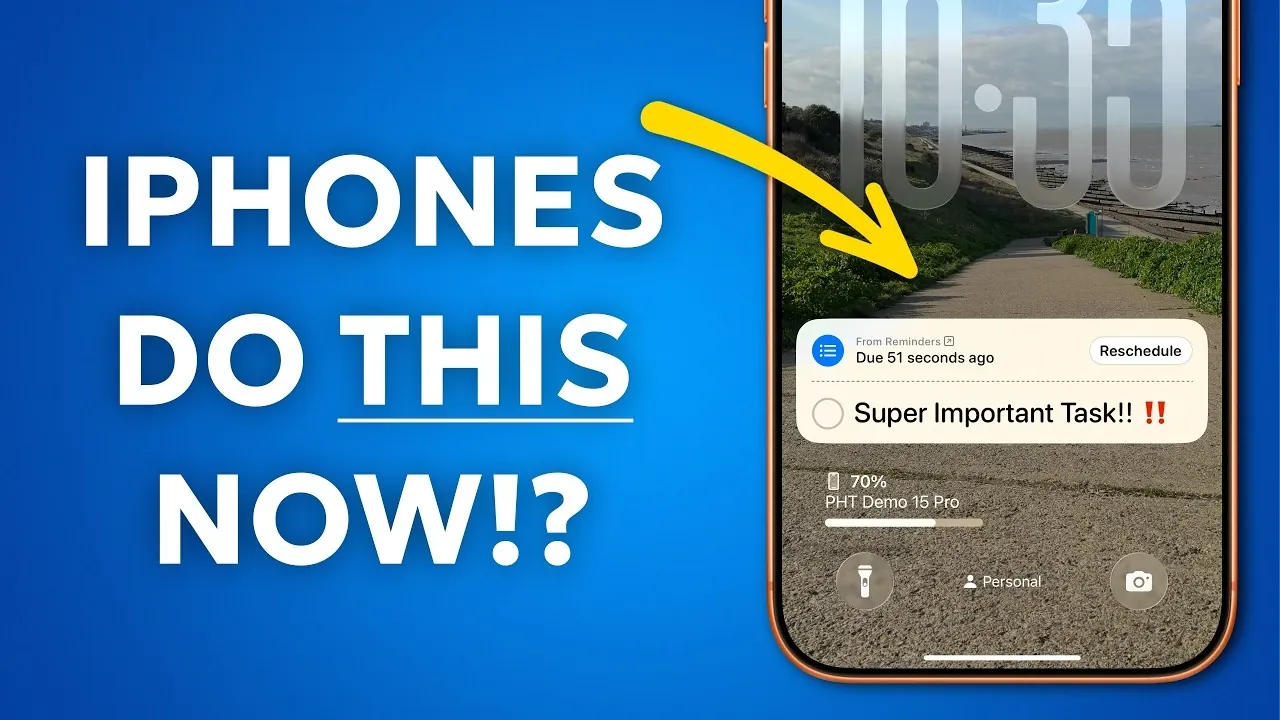
Your iPhone is more than just a communication device; it’s a versatile tool designed to simplify your life, enhance productivity and streamline everyday tasks. From improving collaboration to customizing your device for efficiency, these 10 features can help you unlock the full potential of your iPhone. Let’s explore how these tools can elevate your daily experience in a great new video from Proper Honest Tech.

1. Collaborate Seamlessly with Safari Shared Tab Groups
Safari’s Shared Tab Groups make group web browsing more efficient and organized. This feature allows you to create tab groups and share them with others, allowing real-time collaboration. For example, when planning a vacation, you can share tabs for flights, accommodations and activities with friends or family. Everyone in the group can add, edit, or update tabs, making sure that all participants stay informed. This tool is particularly useful for coordinating shared projects, research, or event planning, making teamwork smoother and more productive.
2. Simplify Password Management
Managing passwords is no longer a hassle with your iPhone’s built-in tools. You can organize saved passwords by the date they were created or last updated, making it easier to locate recent changes or new accounts. This feature, accessible through the Settings app, ensures that your credentials are securely stored and easy to retrieve. By streamlining password management, you can save time and reduce the frustration of forgotten login details, all while maintaining strong security practices.
3. Stay on Track with Urgent Reminders
The Reminders app helps you stay organized by allowing you to set time-sensitive alerts for important tasks. Whether it’s a work deadline, a meeting, or a personal errand, these notifications ensure you’re reminded exactly when you need to act. You can also categorize reminders by priority or group them into lists for better organization. This feature is invaluable for managing a busy schedule, helping you stay focused and avoid missing critical responsibilities.
4. Customize Your Control Center for Quick Access
The Control Center is a hub for your most-used tools and customizing it can significantly improve your efficiency. By rearranging icons and prioritizing functions like Wi-Fi toggles, screen recording, or smart home controls, you can tailor the Control Center to suit your needs. This customization allows you to access essential features with just a swipe, saving time and reducing the need to navigate through multiple menus. Whether you’re adjusting settings on the go or managing connected devices, this feature ensures quick and convenient access.
5. Enhance Photos with Advanced Markup Tools
Your iPhone’s photo markup tools offer more than basic annotations, providing advanced features like shape-perfecting and magnification. These tools are ideal for highlighting specific details in images, whether you’re annotating a document, creating visual instructions, or enhancing a presentation. The ability to add precise edits makes these tools valuable for both personal and professional use, allowing you to create polished visuals with ease.
6. Navigate Settings More Efficiently
Switching between settings pages can be time-consuming, but your iPhone offers a shortcut to simplify the process. By long-pressing the back button in the Settings app, you can quickly return to previous pages. This feature is particularly helpful when troubleshooting or making multiple adjustments, as it eliminates the need to repeatedly navigate through menus. It’s a small but effective way to save time and streamline your device management.
7. Assign Custom Functions to the Action Button
The Action Button on your iPhone can be customized to perform specific tasks or launch app shortcuts, making your device more intuitive and personalized. For instance, you can set the button to activate the camera, start a voice memo, or control a smart home device. This flexibility allows you to tailor the Action Button to fit your workflow, enhancing both convenience and productivity. By assigning functions that align with your daily habits, you can make your iPhone even more responsive to your needs.
8. Switch Between Notes with Ease
If you rely on the Notes app for brainstorming, planning, or organizing information, the ability to switch between recently accessed notes is a fantastic option. This feature enables seamless multitasking, allowing you to move between notes without losing your place. Whether you’re working on multiple projects or jotting down ideas, this functionality helps you stay organized and maintain focus. It’s a practical tool for anyone who uses their iPhone as a digital notebook.
9. Organize Your Photo Library
Managing a growing photo library is easier with the Photos app’s organizational tools. You can collapse photo collections, pin important albums and hide less relevant ones to keep your library tidy and focused. These features make it simple to locate specific images or highlight meaningful moments. By taking advantage of these tools, you can ensure that your photo library remains both functional and enjoyable to browse.
10. Save Time with Website Shortcuts
Adding website shortcuts to your home screen provides instant access to frequently visited pages. Whether it’s a news site, a work portal, or an online store, this feature eliminates the need to open Safari and type URLs repeatedly. By creating shortcuts, you can streamline your browsing experience and save valuable time. This simple yet effective tool is perfect for staying connected to the websites that matter most to you.
Maximize Your iPhone’s Potential
These 10 features are designed to enhance your iPhone’s functionality, making it a more powerful and efficient tool in your daily life. By using tools like Safari Shared Tab Groups, advanced photo markup and Control Center customization, you can tailor your device to meet your unique needs. Explore these features today to unlock new levels of productivity, organization and convenience, making sure that your iPhone works as hard as you do.
Source & Image Credit: Proper Honest Tech
Disclosure: Some of our articles include affiliate links. If you buy something through one of these links, Geeky Gadgets may earn an affiliate commission. Learn about our Disclosure Policy.
