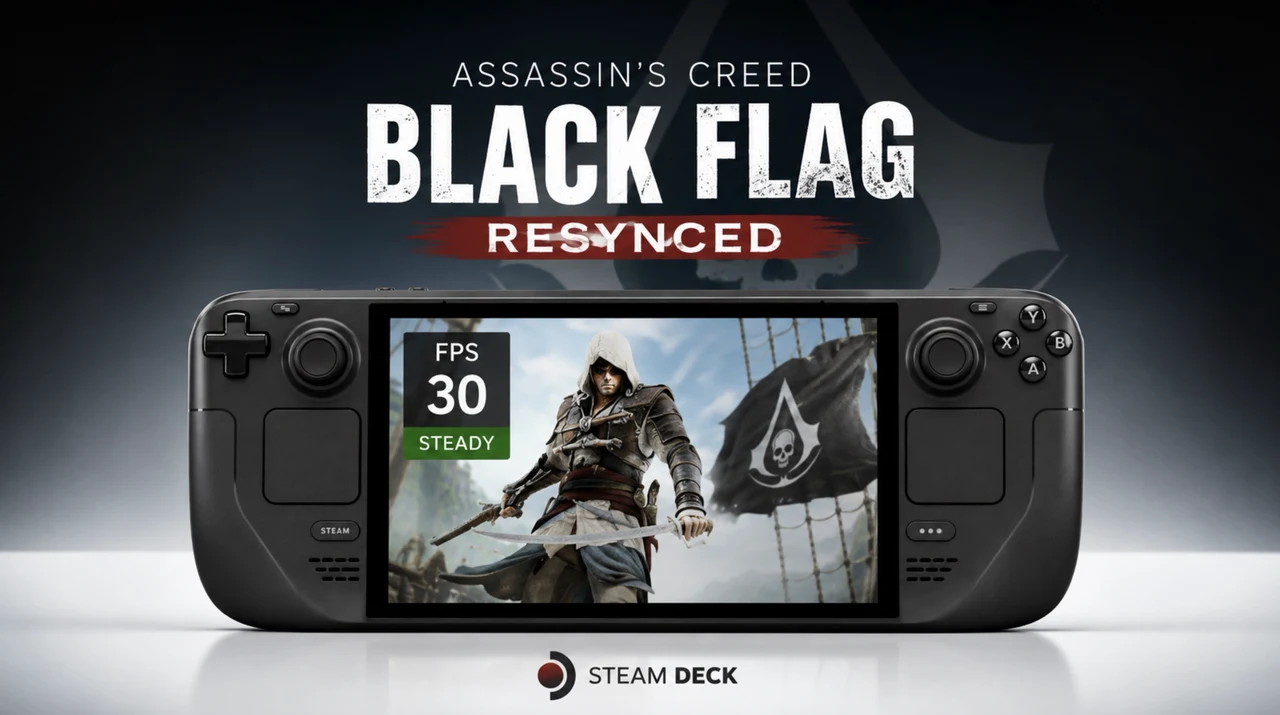
The Steam Deck continues to demonstrate its versatility as a portable gaming platform and Assassin’s Creed Black Flag Resynced serves as an intriguing benchmark for its performance. GameTechPlanet explores how this title performs on the device, focusing on achieving smooth gameplay through careful optimization. For instance, using AMD FidelityFX Super Resolution (FSR) in Balanced mode can help maintain frame rates above 30 FPS while preserving visual clarity. However, demanding features like Ray-Traced Global Illumination (RTGI) often push the hardware to its limits, requiring players to make strategic adjustments to balance visuals and performance.
In this guide, you’ll gain insight into the best graphical presets for handheld gaming, including why Medium and High settings offer a practical balance between quality and performance. Discover how upscaling technologies like TAA and XeSS can enhance your experience and learn about the impact of GPU clock speed adjustments on frame generation. Whether you’re navigating Ubisoft Connect setup requirements or fine-tuning in-game settings, this breakdown provides actionable tips to help you get the most out of Assassin’s Creed Black Flag Resynced on the Steam Deck.
Performance Overview
TL;DR Key Takeaways :
- The Steam Deck, particularly the OLED model, provides a solid platform for portable gaming, with Assassin’s Creed Black Flag Resynced showcasing its capabilities when optimized properly.
- Achieving smooth gameplay (above 30 FPS) requires balancing graphical settings, with Low, Medium and High presets being the most practical for handheld performance.
- Upscaling technologies like AMD FSR, TAA and XeSS enhance performance and visual quality, while disabling Ray-Traced Global Illumination (RTGI) helps maintain stable frame rates.
- Running the game on the Steam Deck involves additional setup via Ubisoft Connect and compatibility tools like GE-Proton 11-1, which are manageable with community resources.
- Optimizing gameplay includes disabling RTGI, using FSR in Balanced mode and cautiously adjusting GPU clock speeds to balance frame generation and input latency.
Running Assassin’s Creed Black Flag Resynced on the Steam Deck delivers a generally smooth experience, though performance is highly dependent on the chosen settings. With optimized configurations, the game can maintain frame rates above 30 FPS, making sure a playable experience. However, more demanding environments or higher graphical settings may lead to occasional frame rate dips. These fluctuations highlight the importance of tailoring settings to align with the Steam Deck’s hardware limitations.
The device’s custom AMD APU provides sufficient power for most modern games, but balancing performance and visuals is key. Players who prioritize smooth gameplay over graphical fidelity will find the Steam Deck a capable platform for this title.
Graphical Settings: Balancing Visuals and Performance
The game offers a wide range of graphical presets, from Low to Ultra High, allowing players to adjust settings based on their preferences and the Steam Deck’s capabilities. For handheld gaming, Low, Medium and High presets are the most practical choices, as they strike a balance between visual quality and performance.
Advanced graphical features such as AMD FidelityFX Super Resolution (FSR), Temporal Anti-Aliasing (TAA), and Intel Xe Super Sampling (XeSS) provide upscaling options that enhance performance without significantly degrading visual fidelity. These technologies are particularly useful for maintaining higher frame rates while preserving the game’s aesthetic appeal.
Ray-Traced Global Illumination (RTGI) is supported, offering improved lighting and shadow effects for a more immersive experience. However, allowing RTGI on the Steam Deck often results in noticeable performance drops, making it less practical for most users. Disabling RTGI while using upscaling technologies like FSR in Balanced mode is a more effective strategy for achieving smoother gameplay.

Uncover more insights about Steam Deck in previous articles we have written.
- 15 Games That Play Surprisingly Perfectly on the Steam Deck
- Valve Confirms Steam Deck 2 Development with a 2028 Release Target
- Don’t Wait for Valve: Build Your Own Steam Machine in 2026
- Why Gamers Are Abandoning the Steam Deck OLED After Its Massive Price Hike
- Why Valve’s New Steam OS Update Completely Changes How You Use Your Deck
- Why Gamers Are Skipping the Steam Deck OLED for This $450 Handheld
- Why Valve’s Latest SteamOS Update Changes Everything for Your Steam Machine
- How Valve Finally Solved the Steam Machine’s Biggest Performance Bottleneck
- Valve Delays Steam Machine and Raises Steam Deck Prices
- $60 Steam Controller 2 is Packing Features PC Gamers Have Been Waiting For
Upscaling Technologies and Frame Generation
Upscaling technologies play a pivotal role in optimizing the game for the Steam Deck. AMD FSR, especially in Balanced or Performance modes, is highly effective in maintaining higher frame rates while making sure visual clarity. TAA and XeSS provide additional upscaling options, though their effectiveness may vary depending on the scene and individual preferences.
Frame generation, while supported, can yield inconsistent results on the Steam Deck. Adjusting the GPU clock speeds between 1,400 and 1,600 MHz can enhance frame generation performance, but this may introduce increased input latency. Players are encouraged to experiment with these settings to find the right balance for their gameplay style.
Launcher and Setup Requirements
Accessing Assassin’s Creed Black Flag Resynced on the Steam Deck requires some additional setup steps, as the game is not available directly through Steam. Instead, it must be launched via Ubisoft Connect, which involves installing compatibility tools like GE-Proton 11-1. These tools ensure the game runs smoothly on the Steam Deck’s Linux-based operating system.
While this setup process adds a layer of complexity, it is manageable with proper guidance. The Steam Deck’s community forums and online resources provide detailed instructions to help players navigate this process effectively.
Tips for Optimizing Gameplay
To maximize performance and enjoyment while playing Assassin’s Creed Black Flag Resynced on the Steam Deck, consider the following tips:
- Disable RTGI and enable AMD FSR in Balanced mode to achieve stable frame rates without sacrificing too much visual quality.
- Experiment with TAA and FSR to determine which upscaling method best suits your preferences and the game’s visual demands.
- Stick to Medium or High graphical presets for a balanced experience that combines good visuals with smooth performance.
- Adjust GPU clock speeds cautiously to improve frame generation while minimizing input latency.
The in-game settings menu is intuitive, allowing players to make quick adjustments and test different configurations. This flexibility ensures that the game can be tailored to individual preferences without unnecessary hassle.
Gameplay Experience
When optimized, Assassin’s Creed Black Flag Resynced offers an engaging and visually impressive experience on the Steam Deck. The combination of advanced graphical settings, upscaling technologies and customizable options ensures that the game remains enjoyable despite the hardware’s limitations. Whether you’re exploring bustling cities or navigating the open seas, the Steam Deck proves itself as a versatile platform for modern gaming on the go.
The Steam Deck’s portability and performance make it an excellent choice for experiencing titles like Assassin’s Creed Black Flag Resynced. By fine-tuning settings and using the device’s capabilities, players can enjoy a seamless and immersive gaming experience wherever they are.
Media Credit: GameTechPlanet
Disclosure: Some of our articles include affiliate links. If you buy something through one of these links, Geeky Gadgets may earn an affiliate commission. Learn about our Disclosure Policy.
