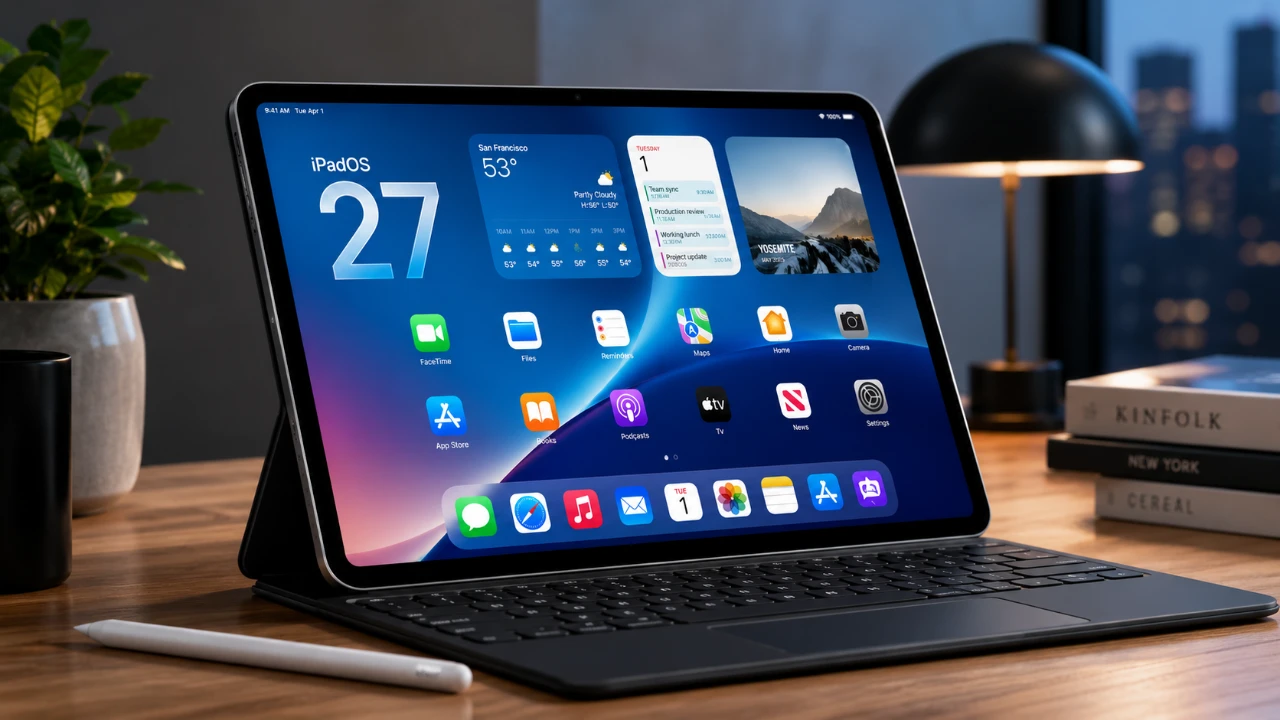
Apple’s release of iPadOS 27 Developer Beta 1 represents a significant step forward for its tablet operating system. This update is packed with features aimed at enhancing productivity, customization, and accessibility, while also integrating advanced technologies like artificial intelligence (AI). However, as with any beta release, it comes with compatibility changes and early-stage bugs that users should be aware of. Below is a detailed exploration of the most notable updates and changes in a new video from Slate Pad.

Compatibility: Which Devices Are Affected?
With iPadOS 27, Apple has made some notable changes to device compatibility. Several older iPad models are no longer supported, including:
- 8th-generation iPad
- 5th-generation iPad Mini
- 3rd-generation iPad Air
- 2018 iPad Pros
This decision allows Apple to focus on optimizing the software for newer devices, making sure smoother performance and better integration with advanced features. While this shift may disappoint users of older models, it reflects Apple’s strategy to future-proof its ecosystem and deliver a more seamless experience for those using the latest hardware.
Siri Gets Smarter
Siri receives a significant upgrade in iPadOS 27, making it a more intuitive and capable assistant. Key updates include:
- An opt-in waitlist for accessing the revamped Siri experience.
- A standalone Siri app that syncs conversation history across devices via iCloud, allowing you to revisit past queries.
- Customizable retention settings to give users greater control over their privacy.
The updated Siri now offers richer suggestions and improved follow-up query capabilities, allowing you to refine your requests or obtain more detailed answers. These enhancements make Siri a more proactive tool for multitasking and productivity, particularly for users managing complex workflows or juggling multiple tasks.
AI-Powered Apple Intelligence and Visual Tools
iPadOS 27 introduces advanced AI-driven features under the umbrella of Apple Intelligence, designed to simplify tasks and enhance creative tools. Notable updates include:
- AI-generated shortcuts that suggest workflows based on your usage patterns, such as organizing files or adjusting device settings.
- Improved object recognition, allowing you to identify and search for items within photos, screenshots, or documents.
- Enhanced photo editing tools, including image extension and reframing, providing greater creative flexibility.
These features make iPadOS 27 a versatile platform for both casual users and professionals, offering tools that streamline everyday tasks while expanding creative possibilities. The integration of AI ensures that the operating system adapts to your habits, making your iPad experience more personalized and efficient.
Refined Interface and Design
The interface of iPadOS 27 has been refined to improve usability and create a more cohesive experience across Apple devices. Key design updates include:
- A redesigned Control Center that supports external monitors, allowing you to manage settings directly from a connected display.
- Liquid glass customization, which adjusts transparency and contrast for better readability in various lighting conditions.
- A left-aligned menu bar that offers a cleaner and more organized layout.
For users familiar with macOS, the updated sidebar design aligns closely with Apple’s desktop operating system, fostering a unified experience across devices. Additionally, bolded text and highlighted sections in the Settings app improve navigation, making it easier to locate specific options quickly.
Enhanced Automation and Shortcuts
Automation remains a central focus in iPadOS 27, with AI-assisted shortcuts taking center stage. These shortcuts are designed to save time by automating repetitive tasks, such as setting reminders, organizing files, or adjusting device settings. While the beta version still has some limitations, such as the inability to automate certain system actions like toggling auto-brightness, the expanded capabilities of shortcuts offer a more personalized and efficient user experience.
For users who rely on managing complex workflows, these enhancements provide a powerful toolset to streamline daily operations and improve overall productivity.
Accessibility Improvements
Apple continues to prioritize inclusivity with several accessibility enhancements in iPadOS 27. These updates aim to make the operating system more user-friendly for individuals with diverse needs. Key improvements include:
- Systemwide readability options, such as bold text and high-contrast settings, to assist users with visual impairments.
- Redesigned sidebars and menus that simplify navigation for all users, regardless of their level of technical expertise.
These changes underscore Apple’s commitment to making sure that its devices remain accessible to a broad range of users, making the iPad a more inclusive tool for productivity, creativity and communication.
Known Issues in the Beta
As with any beta release, iPadOS 27 Developer Beta 1 comes with its share of bugs and incomplete features. Some users may encounter issues with visual intelligence tools or shortcut actions that do not function as intended. While these problems are expected to be resolved in future updates, they could impact the experience for those who rely heavily on these features.
It’s important to approach the beta with an understanding of its experimental nature and to consider waiting for the final release if stability is a priority.
What iPadOS 27 Brings to the Table
iPadOS 27 Developer Beta 1 introduces a host of features designed to enhance the overall iPad experience. From advanced AI capabilities and refined interface design to improved accessibility and automation tools, the update offers something for every type of user. While the beta phase naturally includes some bugs and limitations, the potential for a polished final release is evident.
As Apple continues to refine these features, iPadOS 27 is positioned to set a new standard for tablet operating systems, delivering a more powerful, intuitive and inclusive experience for its users.
Enhance your knowledge on iPadOS 27 by exploring a selection of articles and guides on the subject.
- What to Expect from Apple’s Massive iOS 27 Update
- Why iPadOS 27 is the AI Update You Can’t Ignore
- Is Your iPhone on the List? iOS 27 Could Cut Off These Popular Models
- WWDC 2026 Official: Apple Sets Date for iOS 27 Reveal and Next-Gen Siri Overhaul
- iOS 27 Leaks Reveal the End of an Era: Apple’s New Priorities Confirmed
- Forget iOS 27 for a Moment—iPadOS 26.5 Just Changed the Game
Source: SlatePad
Disclosure: Some of our articles include affiliate links. If you buy something through one of these links, Geeky Gadgets may earn an affiliate commission. Learn about our Disclosure Policy.
