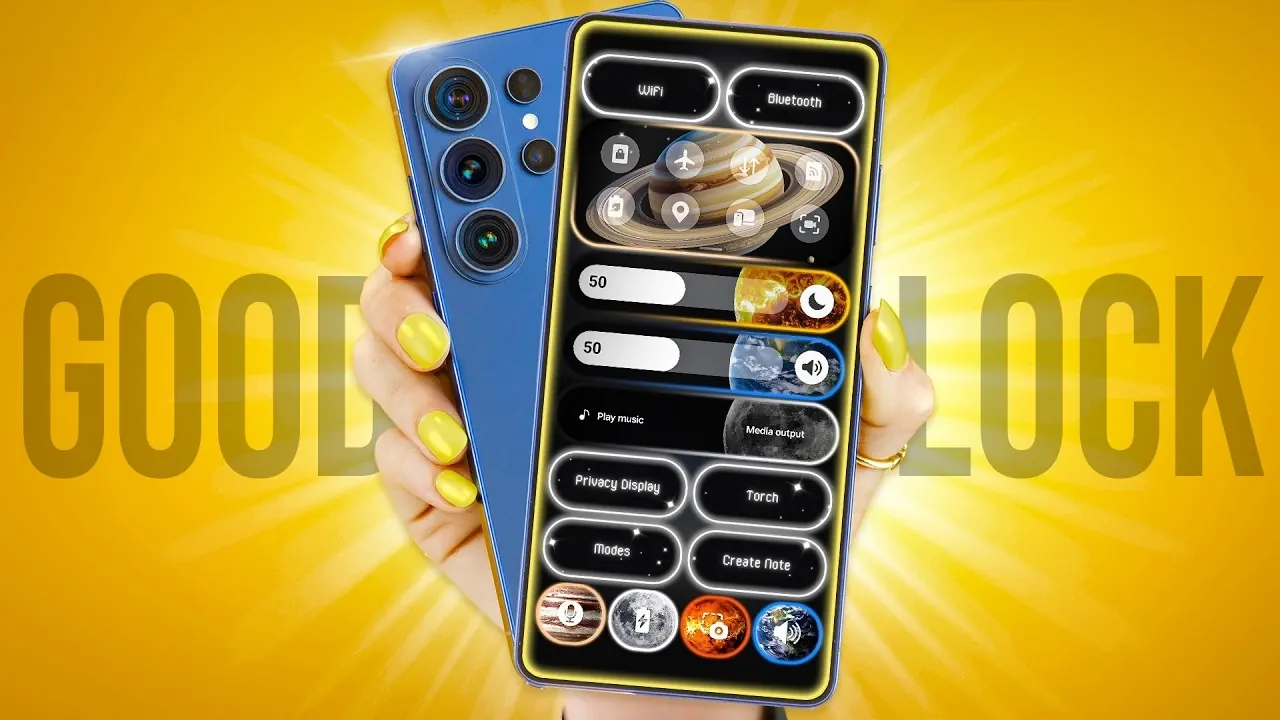
Samsung’s Good Lock app is a comprehensive tool designed to give you unparalleled control over your device’s interface. It offers a wide array of customization options, allowing you to tailor your phone’s functionality and appearance to suit your preferences. Whether you want to adjust the lock screen, refine navigation gestures, or personalize quick settings, Good Lock provides the tools to make your device truly unique. With its modular design, you can pick and choose the features that matter most to you, making sure a seamless and personalized user experience. The video below from Hayls World gives us more details.
Quick Settings Customization with QuickStar
QuickStar is a powerful module within Good Lock that allows you to redesign your device’s quick settings panel for a more intuitive and personalized experience. This feature lets you:
- Apply custom images to buttons, sliders, and media players, adding a personal touch to your interface.
- Enable numerical indicators for precise adjustments to brightness and volume levels.
- Resize control buttons to create a layout that aligns with your preferences and usage habits.
By customizing your quick settings panel, you can enhance both its functionality and aesthetic appeal, making sure it meets your specific needs.
Transform Your Lock Screen with LockStar
LockStar enables you to turn your lock screen into a dynamic and functional space that reflects your style. This module offers:
- 12 unique unlock animations with adjustable effects to add flair to your device.
- Customizable always-on display settings, including clock and calendar styles, for a more personalized look.
- Fingerprint unlock animations that synchronize with your chosen theme, creating a cohesive visual experience.
With LockStar, your lock screen becomes more than just a gateway to your phone; it becomes an extension of your personality and a hub of functionality.
Home Screen Personalization via Home Up
Home Up provides extensive tools to customize your home screen, allowing you to create a layout that is both visually appealing and highly functional. Key features include:
- Resizing folders to better fit your layout preferences and improve organization.
- Allowing swipe gestures for easier navigation within folders streamlines your interactions.
- Hiding page indicators for a cleaner, minimalist appearance.
These options give you the flexibility to design a home screen that aligns with your workflow and aesthetic preferences.
Redesign Your Keyboard with Keys Cafe
Keys Cafe is a module that lets you customize your keyboard for both efficiency and style. It offers a range of features to enhance your typing experience:
- Add frequently used emojis for quicker access, making your messages more expressive.
- Enable two-finger gestures for actions like copy, paste, and cursor movement, improving productivity.
- Customize swipe gestures with unique icons, colors and effects to match your theme.
With Keys Cafe, your keyboard becomes a tool that is as practical as it is personal, adapting to your specific needs.
Fingerprint Shortcuts for Quick Access
Fingerprint shortcuts provide a fast and personalized way to access your favorite apps directly from the lock screen. This feature allows you to:
- Assign up to four unique apps to different fingerprints, allowing quick access with a simple touch.
- Save time while adding an extra layer of personalization to your device.
This functionality combines convenience with customization, making it easier to interact with your phone.
Icon and Theme Customization with Theme Park
Theme Park is a versatile module that enables you to modify your app icons and themes for a cohesive and personalized look. Its key features include:
- Applying effects like emboss, gradient, or glass to your icons adds depth and texture to your interface.
- Adjusting icon shapes to align with your overall design theme, making sure of a unified appearance.
With Theme Park, you can create a visually consistent interface that reflects your style and preferences.
Navigation Gesture Customization with NavStar
NavStar allows you to personalize your navigation gestures, making your device more intuitive and visually appealing. This module lets you:
- Change gesture arrow colors and backgrounds to match your theme, enhancing the visual harmony of your interface.
- Replace gesture icons with custom images or presets, adding a unique touch to your navigation system.
By customizing your navigation gestures, you can create a system that feels natural and aligns with your aesthetic preferences.
Enhanced Multitasking and Audio Control
Good Lock also includes tools designed to improve multitasking and audio management, making sure a smoother and more efficient user experience:
- MultiStar: Enables quick split-screen functionality, allowing you to run multiple apps simultaneously with ease.
- Sound Assistant: Offers advanced audio controls, including volume step adjustments for precise sound management.
These features enhance your device’s usability, whether you’re juggling multiple tasks or fine-tuning your audio settings.
Maximize Your Device’s Potential
Samsung’s Good Lock app is a powerful suite of tools that allows you to customize your device’s interface and functionality to an extraordinary degree. From quick settings and lock screen enhancements to keyboard layouts and navigation gestures, every module is designed to help you create a device experience that is uniquely yours. By using these capabilities, you can transform your phone into a personalized, efficient, and visually stunning tool that adapts to your specific needs and preferences.
Deep dive into the latest in Samsung Good Lock by exploring our other resources and articles.
- New Trick: Enable Liquid Glass Icons on Your Galaxy Today
- Samsung’s Galaxy S27 Ultra Leak Reveals a Massive Design Gamble
- The HIDDEN Samsung Galaxy Good Lock Features You Need!
Source & Image Credit: Hayls World
Disclosure: Some of our articles include affiliate links. If you buy something through one of these links, Geeky Gadgets may earn an affiliate commission. Learn about our Disclosure Policy.
