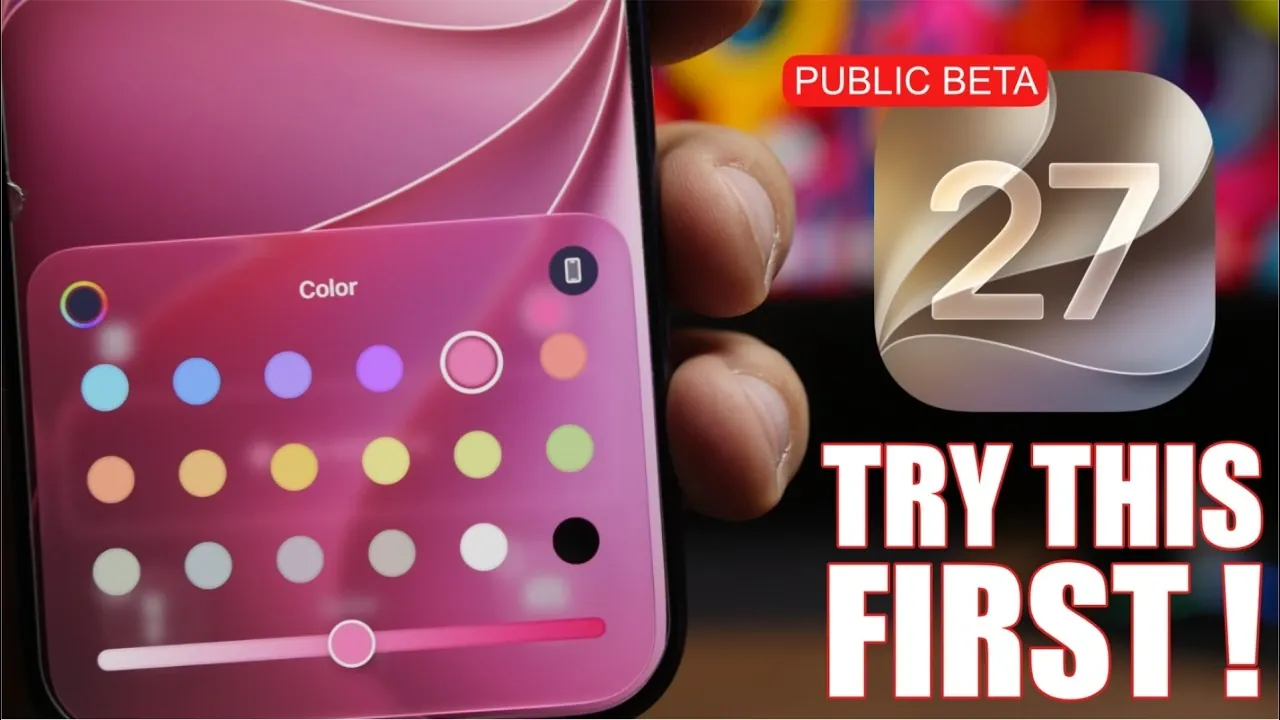
Apple has officially launched the iOS 27 public beta, bringing a host of new features designed to enhance customization, interactivity, and efficiency. This update focuses on making your Apple devices more intuitive and tailored to your preferences. Whether you’re a tech enthusiast or a casual user, iOS 27 offers tools and improvements that elevate your experience. Below is a detailed look at the standout features you should explore. The video below from iReviews gives us more details about the first Public Beta for iOS 27.

Home Screen Enhancements
The home screen in iOS 27 has undergone significant updates to improve both functionality and aesthetics. These enhancements transform the home screen into a more dynamic and interactive space.
- Interactive Widgets: Perform actions directly from widgets without opening the associated apps. For example, you can check off tasks in Reminders, control music playback, or view real-time weather updates, all from the home screen.
- Liquid Glass Icons: The redesigned app icons feature a sleek, semi-transparent look that combines modern aesthetics with improved usability, making navigation more intuitive and visually appealing.
These updates make the home screen a powerful tool for productivity and personalization, making sure it adapts to your needs.
Liquid Glass Customization
iOS 27 introduces a liquid glass customization slider, giving users unprecedented control over the appearance of their devices. This feature allows you to fine-tune the visual style of your home screen.
- Adjust app icons to appear more transparent or tinted, depending on your preferences.
- Blend your home screen’s design seamlessly with your chosen wallpaper and overall device theme.
This level of customization ensures your device reflects your unique style while maintaining a cohesive and polished look.
Dynamic Wallpapers
Wallpapers in iOS 27 are no longer static images. Apple has introduced dynamic wallpapers powered by advanced intelligence, adding a new layer of interactivity and personalization.
- Seamless Designs: Wallpapers now extend across both the home and lock screens, creating a unified and visually appealing aesthetic.
- Interactive Elements: Subtle animations and movements respond to your interactions, such as swiping or unlocking your device, bringing your screen to life.
Whether you prefer minimalist designs or vibrant visuals, these wallpapers add a fresh and engaging dimension to your device.
Standalone Siri App
For the first time, Siri has its own dedicated app in iOS 27, making it easier to manage your interactions with Apple’s virtual assistant. This centralized approach enhances Siri’s usability and accessibility.
- Access all conversations, tasks and files managed by Siri in one place, streamlining your experience.
- Choose from customizable voice options, including male and female voices, to personalize how Siri interacts with you.
This update gives you greater control over Siri, making it a more versatile and user-friendly assistant.
Natural Language Shortcuts
Creating automations in iOS 27 is now simpler and more intuitive, thanks to natural language shortcuts. This feature eliminates the need for complex setups, making automation accessible to everyone.
- Describe your desired automation in plain language, such as “Turn off the lights at 10 PM every night.”
- iOS 27 automatically generates the corresponding shortcut, saving you time and effort.
This innovation enables users to streamline daily tasks without requiring technical expertise.
Advanced Photo Editing Tools
Photography enthusiasts will appreciate the enhanced photo editing tools in iOS 27, which use Apple Intelligence to deliver professional-quality results. These tools make it easier to refine and perfect your images directly on your device.
- Cleanup: Effortlessly remove unwanted objects or blemishes from your photos for a cleaner look.
- Extend: Expand the edges of an image to improve framing and composition.
- Reframe: Automatically adjust the layout of your photos for optimal visual balance.
These tools bring advanced editing capabilities to your fingertips, making it easier than ever to create stunning images.
Safari’s “Notify Me” Feature
Safari has been enhanced with a “Notify Me” feature, designed to keep you informed about updates on specific websites. This addition makes Safari a more powerful tool for staying connected and organized.
- Receive notifications about changes such as product availability, price drops, or new content on your favorite sites.
- Customize the frequency of notifications to ensure you stay updated without feeling overwhelmed.
This feature enhances Safari’s utility, making it an indispensable tool for browsing and tracking important updates.
Why iOS 27 Stands Out
The iOS 27 public beta introduces a range of features that prioritize personalization, interactivity, and efficiency. From the reimagined home screen and dynamic wallpapers to advanced photo editing tools and the standalone Siri app, this update caters to a wide variety of user needs. By using Apple Intelligence, iOS 27 delivers a seamless and tailored experience that adapts to your preferences.
Explore these features today to discover how iOS 27 can transform the way you use your device, making it more intuitive, engaging and uniquely yours.
Gain further expertise in iOS 27 Public Beta by checking out these recommendations.
- The Difference Between the iOS 27 Public and Developer Betas
- Should You Install iOS 27 Beta 3 or Wait for the Public Beta?
- How to Safely Move from iOS 27 Developer Beta to Public Beta
- Is iOS 27 Beta 4 the Update Public Testers Have Been Waiting For?
- iOS 27 Public Beta Checklist: Things to Do Before You Download
Source & Image Credit: iReviews
Disclosure: Some of our articles include affiliate links. If you buy something through one of these links, Geeky Gadgets may earn an affiliate commission. Learn about our Disclosure Policy.
