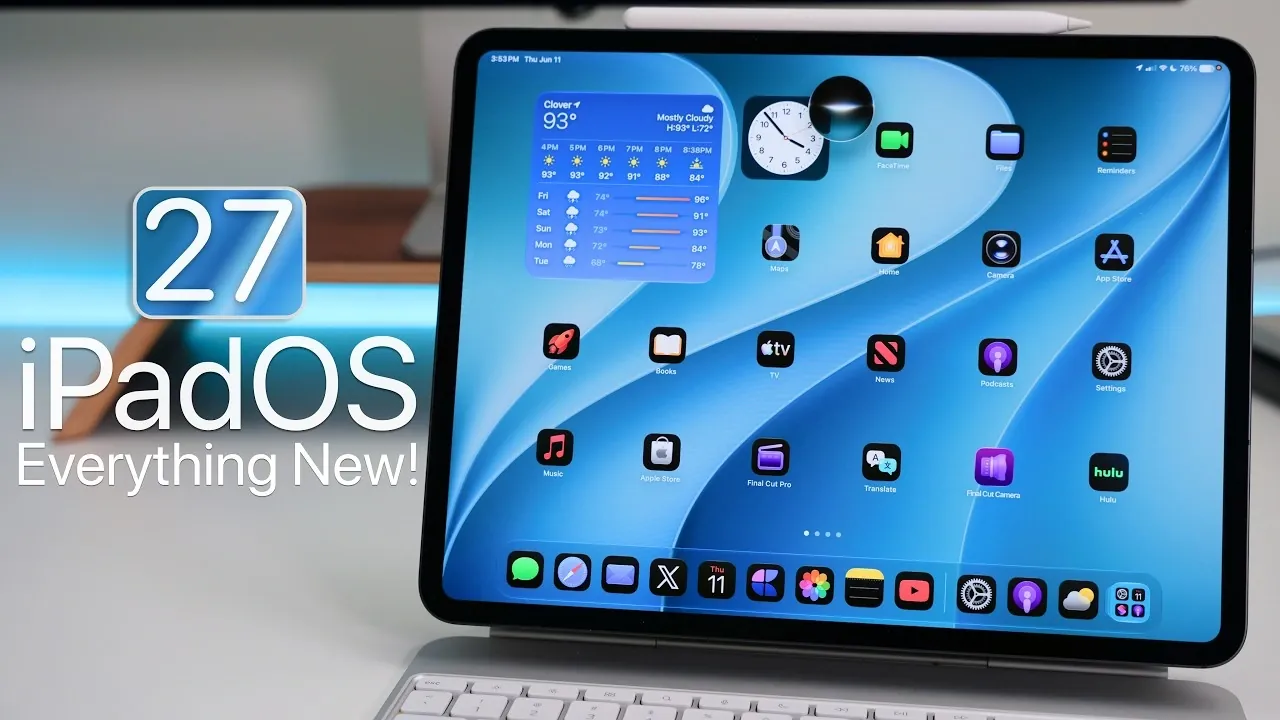
Apple has unveiled iPadOS 27 Beta 1, offering developers an early glimpse into the latest advancements tailored specifically for iPads. While the beta is currently limited to developers, a public beta is anticipated in July, promising a more refined and stable experience for general users. This update emphasizes performance, customization, and advanced functionality, marking a significant evolution for iPad users. Below is an in-depth look at the features and improvements introduced in iPadOS 27. The video below from Zollotech gives us more details on the new iPadOS 27 features.

Device Compatibility
iPadOS 27 maintains broad compatibility, making sure that a wide range of iPads can benefit from the update. Supported devices include:
- iPad Mini 6th Generation
- iPad 9th Generation and later
- iPad Air (11-inch, 4th Generation, M2, M3, M4)
- iPad Pro (11-inch 2nd Generation and later, 12.9-inch 4th Generation and later, M4 and later)
This extensive compatibility ensures that both casual users and professionals can access the latest features, provided their devices meet the necessary requirements. Whether you use your iPad for work, creativity, or entertainment, iPadOS 27 aims to enhance your experience.
Performance Enhancements
iPadOS 27 introduces a series of performance-focused updates designed to make your iPad faster, smoother and more efficient. Key improvements include:
- Seamless Wi-Fi transitions, making sure uninterrupted connectivity when switching networks.
- Enhanced power efficiency, particularly in Safari, to extend battery life during browsing sessions.
- Faster app and window transitions, improving multitasking and overall responsiveness.
- Accelerated file transfer speeds, catering to productivity-focused users.
These updates are engineered to optimize your iPad’s performance, whether you’re multitasking, streaming content, or engaging in productivity tasks. The focus on efficiency and speed ensures a smoother user experience across various use cases.
Design and Customization
Customization takes a prominent role in iPadOS 27, allowing users to personalize their devices to better reflect their preferences. Notable design updates include:
- Refined app icons with improved contrast, enhancing visibility and aesthetics.
- A new liquid glass slider for adjusting transparency effects, adding a modern touch to the interface.
- Dynamic wallpapers and lock screen customization options, including the ability to reposition the clock.
These enhancements provide users with greater control over their iPad’s appearance, blending functionality with visual appeal. Whether you prefer a minimalist design or a more vibrant look, iPadOS 27 offers tools to make your device uniquely yours.
Widgets and App Enhancements
Widgets in iPadOS 27 have been reimagined to offer more versatility and functionality. Key updates include:
- Extra-large widgets for apps like Calendar, Music and Weather, providing more detailed information at a glance.
- A redesigned Weather app with comprehensive precipitation and wind data for better planning.
- App names displayed in the upper-left corner, simplifying navigation and multitasking.
These changes make it easier to stay organized and access critical information quickly. The enhanced widgets are particularly beneficial for users who rely on their iPads for productivity and daily planning.
Siri and AI Advancements
Siri receives significant upgrades in iPadOS 27, using advancements in natural language processing and contextual understanding. Key features include:
- Improved ability to interpret and respond to conversational commands, making interactions more intuitive.
- New animations and text-based interaction options, enhancing the overall user experience.
- Limited availability in English, with regional restrictions (not available in the EU or China).
These updates make Siri a more reliable and engaging virtual assistant, capable of handling a broader range of tasks with greater accuracy. Whether you’re setting reminders, controlling smart devices, or seeking information, Siri’s improvements aim to streamline your interactions.
Enhanced Audio and AirPods Integration
For AirPods users, iPadOS 27 introduces new features to elevate the audio experience. Highlights include:
- Customizable equalizer settings for AirPods Pro 2, 3, 4 and AirPods Max 2, offering tailored sound profiles (available in Beta 2).
- A redesigned AirPods menu, simplifying navigation and control of audio settings.
These features provide greater control over your listening experience, making sure that audio quality meets your preferences. Whether you’re enjoying music, podcasts, or video content, the enhanced integration with AirPods adds a layer of personalization.
Photos, Productivity and Safari Updates
iPadOS 27 introduces several updates to enhance photo editing, productivity tools, and browsing experiences:
- AI-powered photo editing tools for cleaning up, reframing and extending images, making professional-quality edits more accessible.
- Freeform now supports dark mode and folder organization, improving usability for creative projects.
- Shortcuts can be created using natural language commands, simplifying automation for repetitive tasks.
- Safari introduces page change notifications and automatic tab organization, streamlining navigation.
These updates cater to users who rely on their iPads for both creative and professional tasks, offering tools to boost productivity and creativity.
Battery Life and Storage Considerations
iPadOS 27 places a strong emphasis on stability and battery optimization. Key improvements include:
- Smoother app resizing and navigation, making sure a more fluid user experience.
- Battery life enhancements, particularly after the initial indexing process, making sure longer usage times.
The update requires approximately 34.81 GB of storage, with 19 GB allocated for Apple Intelligence. Users with limited storage should plan accordingly to ensure a smooth installation process.
Should You Upgrade?
While iPadOS 27 Beta 1 introduces a wealth of exciting features and improvements, it is recommended to wait for the public beta release in July for a more stable and polished experience. If your iPad serves as your primary device, waiting ensures you can enjoy the full benefits of iPadOS 27 without encountering potential issues associated with early beta versions.
Gain further expertise in iPadOS 27 features by checking out these recommendations.
- Forget iOS 27 for a Moment, iPadOS 26.5 Just Changed the Game
- iOS 27: Apple is finally hitting the ‘reset’ button for a Snow Leopard-style fix
Source & Image Credit: zollotech
Disclosure: Some of our articles include affiliate links. If you buy something through one of these links, Geeky Gadgets may earn an affiliate commission. Learn about our Disclosure Policy.
