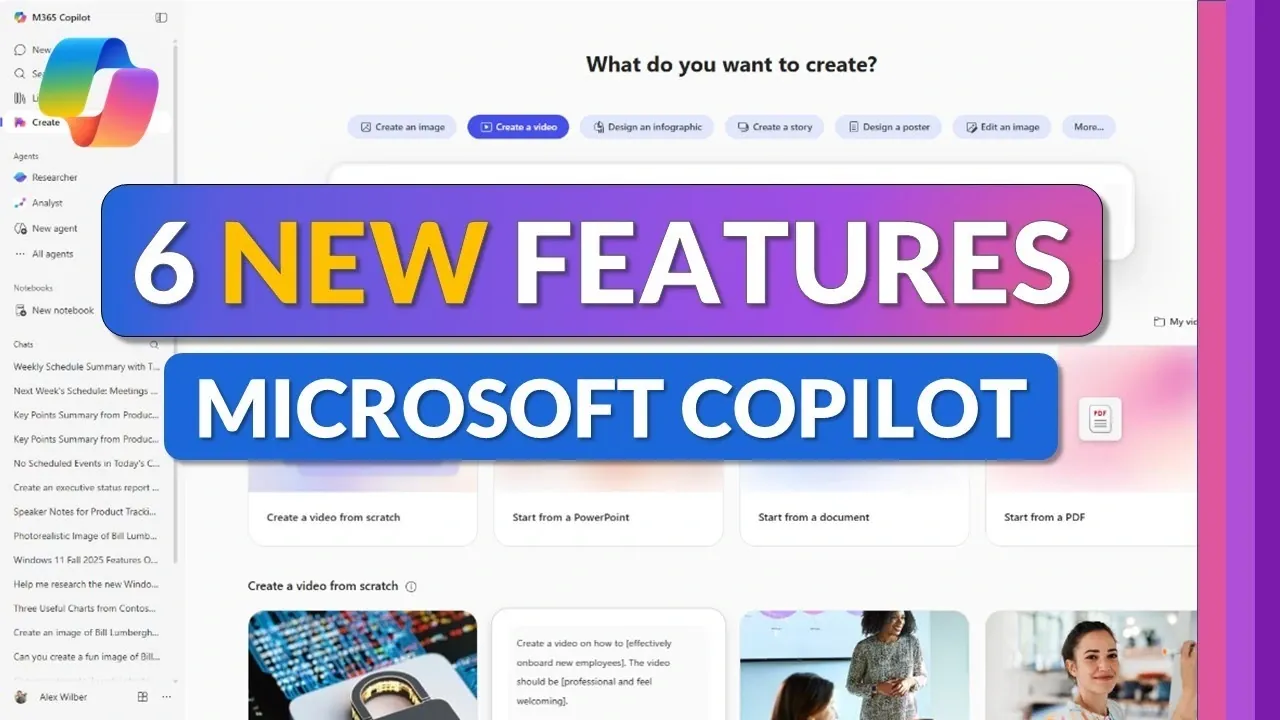
What if your workday could feel less like a juggling act and more like a well-orchestrated symphony? With the 2025 update to Microsoft 365 Copilot, that vision is closer than ever. Packed with innovative tools like AI-powered video creation, automated task management, and a centralized content library, this update isn’t just about incremental improvements, it’s a bold leap toward redefining how we work. Imagine transforming a cluttered workflow into a streamlined powerhouse where everything you need is just a click away. These features aren’t just upgrades; they’re solutions to the everyday friction that slows us down.
In this deep dive, Mike Tholfsen takes you through six standout features that are poised to reshape productivity in the modern workplace. From seamless Windows integration to real-time survey editing, these updates are designed to meet the evolving demands of professionals who need more than just tools, they need intelligent systems that anticipate their needs. Whether you’re a project manager juggling deadlines or a content creator seeking innovative ways to tell stories, these features promise to make your work not only more efficient but also more impactful. Let’s explore how Microsoft 365 Copilot is setting a new standard for what productivity software can achieve.
Microsoft 365 Copilot 2025 Updates
TL;DR Key Takeaways :
- Enhanced Navigation: A redesigned layout with intuitive navigation ensures quick access to essential tools like chat, search, and create, while a pinning feature keeps frequently used apps readily available.
- Centralized Content Management: The new library feature consolidates all documents, images, and pages into one hub, simplifying file organization and retrieval for seamless collaboration.
- AI-Powered Video Creation: Transform documents or slides into professional-quality videos with customizable narration, tone, and branding, integrated with ClipChamp for advanced editing.
- Automated Task Management: Scheduled prompts automate routine tasks like reminders and report generation, making sure consistency and reducing manual effort.
- Streamlined Survey Creation: Real-time editing and integration with Microsoft Forms make creating and customizing surveys efficient and adaptable for various needs.
Enhanced Navigation for Seamless Workflow
Microsoft 365 Copilot now offers a more intuitive navigation system, making sure that essential tools like chat, search, library, and create are consistently positioned for quick access. This redesigned layout minimizes the time spent searching for features, allowing you to focus on your tasks without unnecessary interruptions.
In addition, chats, agents, and notebooks are now better categorized, making it easier to manage conversations and organize content. A new pinning feature lets you anchor frequently used apps, such as Outlook, Teams, and PowerPoint, directly to your dashboard. By keeping your most-used tools within reach, this enhancement reduces disruptions caused by switching between applications and helps maintain a steady workflow.
Centralized Content Management with the Library
The library feature serves as a centralized hub for all your content, including documents, images, and pages. This addition simplifies file management by consolidating resources in one easily accessible location. Whether you’re drafting a report, preparing a presentation, or collaborating on a project, the library ensures that your materials are always at your fingertips.
By eliminating the need to search across multiple platforms, this feature saves time and reduces frustration. It also supports better organization, allowing you to categorize and retrieve files effortlessly, which is particularly beneficial for teams working on shared projects.
6 New Features in Microsoft 365 Copilot
Check out more relevant guides from our extensive collection on Microsoft 365 Copilot that you might find useful.
- Microsoft 365 Copilot AI Assistant Beginner’s Guide 2025
- New Microsoft 365 Copilot Updates from Microsoft Ignite 2024
- Microsoft 365 October 2025 Updates: Teams, Copilot GPT-5
- Harness generative AI with Microsoft 365 Copilot plugins
- Microsoft 365 Copilot’s AI Agents Simplify Research & Data Analysis
- Microsoft 365 Copilot’s Create App : The Future of Effortless Content
- 9 Microsoft 365 Copilot Tips for Smarter Workflows in 2025
- Microsoft Copilot Office 365 AI personal assistant
- How Microsoft 365 Copilot AI can improve your productivity
- Microsoft 365 Copilot Guide: Free vs. Paid Features Explained
AI-Powered Video Creation for Dynamic Storytelling
Creating professional-quality videos is now more accessible with Microsoft 365 Copilot’s AI-powered video tools. This feature allows you to transform documents, PowerPoint slides, or blank canvases into dynamic videos tailored to your specific needs. You can customize narration, tone, and branding to align with your messaging, making it an ideal tool for training materials, marketing campaigns, or internal communications.
For users seeking advanced editing capabilities, integration with ClipChamp provides additional tools for precise refinements. This seamless process enables you to produce polished, engaging videos quickly and efficiently, enhancing your storytelling capabilities while saving valuable time.
Windows Integration for Instant Accessibility
Microsoft 365 Copilot now integrates directly with Windows, offering enhanced accessibility by allowing you to pin the app to your taskbar, start menu, or desktop. This feature ensures that the app is always just a click away, streamlining your workflow and reducing the time spent navigating through menus.
Whether you’re starting your day or transitioning between tasks, this integration keeps your tools readily available. By minimizing the steps required to access key features, it supports uninterrupted productivity and helps you stay focused on your priorities.
Automated Task Management with Scheduled Prompts
The scheduled prompts feature introduces a new level of task automation, allowing you to set up recurring prompts for routine activities. For instance, you can automate weekly schedule summaries, reminders, or report generation. These prompts are fully customizable, and you’ll receive email notifications once tasks are completed.
This feature not only saves time but also ensures that critical tasks are consistently addressed, reducing the risk of oversight. It is particularly useful for managing repetitive workflows, allowing you to focus on higher-priority responsibilities while maintaining efficiency in routine operations.
Streamlined Survey Creation with Real-Time Editing
The survey agent feature simplifies the process of creating and customizing surveys directly within the chat interface. Real-time editing capabilities allow you to make adjustments instantly, making sure that your surveys meet specific requirements. Integration with Microsoft Forms adds advanced customization options, making this tool ideal for gathering feedback, conducting research, or managing event registrations.
Whether you’re collecting data for a project or organizing an event, this feature provides the flexibility and precision needed to create effective surveys. Its user-friendly design ensures that you can adapt your surveys quickly, even in dynamic situations.
Empowering Productivity with Microsoft 365 Copilot
The 2025 update to Microsoft 365 Copilot introduces a suite of features designed to enhance efficiency, accessibility, and customization. From improved navigation and centralized content management to AI-powered video creation and task automation, these tools empower you to work smarter and faster. Whether you’re creating content, managing tasks, or collaborating with your team, these updates provide the functionality and flexibility required to excel in today’s fast-paced work environment.
Media Credit: Mike Tholfsen
Disclosure: Some of our articles include affiliate links. If you buy something through one of these links, Geeky Gadgets may earn an affiliate commission. Learn about our Disclosure Policy.
