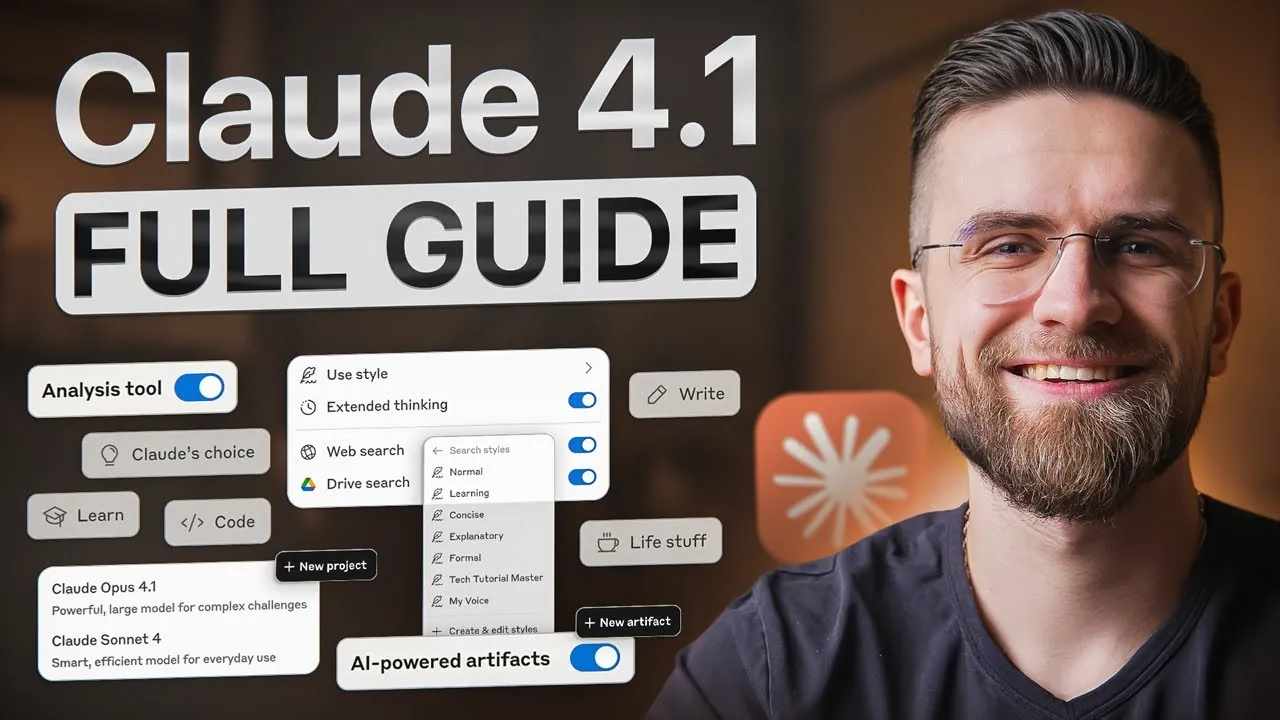
What if you could have an AI assistant that not only understands your tasks but also works alongside you, debugging code, analyzing data, or drafting reports, exactly the way you need it? With Claude 4.1, that vision becomes reality. This innovative AI isn’t just a tool; it’s a collaborator designed to streamline your workflow, adapt to your unique style, and tackle even the most complex challenges. Whether you’re a developer fine-tuning algorithms, a writer crafting compelling narratives, or an analyst diving into intricate datasets, Claude 4.1 offers a level of precision and personalization that redefines what’s possible with AI. It’s not just smarter, it’s more intuitive, more interactive, and more aligned with your goals.
In this quick-start guide, AI Master explain how Claude 4.1’s innovative features, like interactive workspaces, persistent project organization, and customizable assistant personas, can transform the way you work. You’ll discover how to harness its advanced reasoning capabilities to solve problems step by step, tailor its responses to match your tone, and even collaborate with it in real-time. But that’s just the beginning. Whether you’re looking to save time, boost creativity, or enhance technical precision, this guide will show you how to unlock Claude 4.1’s full potential. After all, the future of AI isn’t just about automation, it’s about collaboration, and this is your chance to see it in action.
Claude 4.1 AI Overview
TL;DR Key Takeaways :
- Claude 4.1 introduces interactive workspaces, allowing real-time collaboration on tasks like coding, data visualization, and document creation, streamlining workflows and enhancing productivity.
- The update features persistent workspaces, which organize projects by consolidating files and context, making sure continuity and easy access across sessions.
- With extended thinking mode, Claude 4.1 provides step-by-step problem-solving transparency, allowing users to intervene and refine outputs for improved accuracy and reliability.
- Advanced features like customizable personas and advanced prompting techniques allow users to tailor the AI’s tone, style, and responses to meet specific needs, enhancing communication and output relevance.
- Claude 4.1 excels in data analysis and coding, offering real-time debugging, script execution, and visualization tools, making it a powerful assistant for technical professionals.
Interactive Workspaces: Simplifying Real-Time Collaboration
One of the standout features of Claude 4.1 is its interactive workspaces, referred to as artifacts. These dynamic environments allow you to create, edit, and execute outputs, such as code, charts, documents, or even applications, in real time. For instance, you can debug Python scripts, refine data visualizations, or draft detailed reports directly within the workspace, eliminating the need to switch between multiple tools. Additionally, you can create blank artifacts tailored to specific tasks, giving you full control and flexibility over your projects. This feature not only enhances productivity but also fosters a more seamless and intuitive workflow.
Persistent Workspaces: Organizing Projects with Ease
Claude 4.1 introduces persistent workspaces, a feature designed to maintain continuity across projects. These workspaces consolidate files, documents, and context into a single location, removing the need to repeatedly upload or re-explain information during new sessions. By integrating with cloud storage, you can effortlessly access external files, making sure your work remains organized and readily available. This functionality is particularly advantageous for long-term projects or collaborative efforts, where maintaining consistency and accessibility is crucial. Whether you’re managing a team or working independently, persistent workspaces simplify project organization and save valuable time.
Extended Thinking Mode: Enhancing Problem-Solving Transparency
For tackling complex tasks such as debugging, data analysis, or detailed writing, Claude 4.1 offers an extended thinking mode. This feature enables the AI to break down problems into smaller, manageable steps while narrating its reasoning process. You can intervene at any stage to make corrections or adjustments, making sure the output aligns with your specific goals. This step-by-step transparency not only fosters trust but also enhances the accuracy and reliability of the AI’s problem-solving capabilities. By providing clear insights into its thought process, Claude 4.1 enables you to collaborate more effectively and achieve better results.
How to use Claude 4.1 : 2025 Guide

Below are more guides on Claude AI features from our extensive range of articles.
- New Claude Opus 4.1 : Advanced AI Features You Need to Know
- ChatGPT 5 vs Claude Opus 4.1: AI Coding Assistant Comparison
- GPT-5 & Claude 4.1 vs Cursor CLI: AI Coding Tool Skills Compared
- How QWEN 3 Coder Outperforms GPT-4.1 in AI Coding
- ChatGPT 5 vs Claude vs Qwen : Best AI Models for App Dev in 2025
- ChatGPT 5 vs Claude 4.1 Opus : AI Writing Skills Compared
- GPT-5 Pro vs Grok 4 Heavy vs Claude 4.1 Opus vs Gemini 2.5 Pro
- How Claude Code AI Handles 1 Million Tokens to Boost Efficiency
- ChatGPT 5 vs Gemini Pro vs Claude Opus 4.1 vs Grok
- How Claude 4 Series Balances AI Power and Responsibility
Advanced Prompting Techniques: Precision in Communication
Claude 4.1 enables you to guide the AI with advanced prompting techniques, allowing for greater precision and flexibility in its responses. By using structured prompts, assigning roles, or defining specific reasoning paths, you can shape the AI’s output to suit your needs. For example, you might instruct the AI to mimic a particular writing style, adhere to a specific format, or prioritize certain types of information. This feature is particularly useful for tasks requiring tailored outputs, such as drafting formal reports, generating creative content, or conducting in-depth analyses. With these tools, you can ensure the AI delivers responses that are both relevant and aligned with your objectives.
Customizable Personas: Adapting to Your Style
To meet diverse communication needs, Claude 4.1 includes customizable personas with preset styles, such as concise, explanatory, or formal tones. You can also create custom personas by describing your preferences or uploading writing samples. This flexibility ensures the AI’s responses align with your desired tone, whether you’re drafting a technical document, crafting an engaging narrative, or preparing a professional presentation. The ability to adapt to your unique style makes Claude 4.1 a versatile tool for a wide range of tasks, enhancing both the quality and relevance of its outputs.
Data Analysis and Coding: Streamlined Technical Precision
Claude 4.1 excels in technical tasks, offering robust capabilities for data analysis and coding. You can execute Python, HTML, and JavaScript directly within the chat, allowing real-time debugging, data visualization, and script refinement. For instance, you might optimize a machine learning algorithm, generate a detailed chart for a presentation, or troubleshoot a coding issue without leaving the workspace. These features make Claude 4.1 an indispensable assistant for technical professionals, streamlining complex workflows and delivering AI-driven precision that saves time and effort.
Interactive Problem-Solving: A Collaborative Approach
Collaboration lies at the heart of Claude 4.1’s design. The AI supports interactive problem-solving, allowing you to refine outputs through dynamic feedback. For example, you can ask the AI to summarize a report while cross-referencing data from another source, adjusting its approach based on your input. This iterative process ensures the final output meets your expectations, making the AI a reliable partner in tackling challenging tasks. By fostering a collaborative environment, Claude 4.1 enhances your ability to achieve accurate and high-quality results.
Workflow Optimization: Redefining Productivity
Claude 4.1 is engineered to optimize workflows, reducing repetitive tasks and minimizing mental clutter. Features like projects and artifacts integrate seamlessly into a cohesive system, enhancing both productivity and efficiency. Compared to earlier versions, this update offers a more intuitive user experience, allowing you to focus on your work rather than managing tools and processes. By streamlining workflows and automating routine tasks, Claude 4.1 allows you to dedicate more time to creative and strategic endeavors, ultimately boosting your overall productivity.
A Comprehensive AI Solution for Modern Challenges
Claude 4.1 represents a significant step forward in AI technology, offering tools and features that cater to both technical and creative tasks. With innovations like interactive workspaces, persistent project organization, and customizable personas, it delivers a more personalized, efficient, and collaborative user experience. Whether you’re solving complex coding challenges, conducting data analysis, or crafting compelling content, Claude 4.1 enables you to achieve your goals with precision, transparency, and ease. This update sets a new standard for AI usability, making it an invaluable resource for professionals across industries.
Media Credit: AI Master
Disclosure: Some of our articles include affiliate links. If you buy something through one of these links, Geeky Gadgets may earn an affiliate commission. Learn about our Disclosure Policy.
