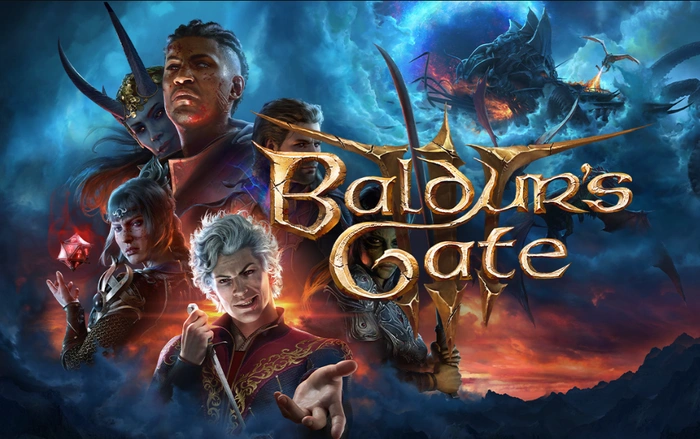
If you enjoyed playing the Baldur’s Gate 3 Early Access release you need to make sure that you delete your saved files or at back them up and then delete them, before installing the full release of the highly anticipated BG3 game. Larian Studios the development team responsible for creating the amazing role-playing game which launches today have listed six points to consider before you load the full release onto your PC system.
After an anticipatory wait and a six-year meticulously crafted development cycle, the much-acclaimed Baldur’s Gate 3 is finally stepping out of the shadows and Early Access and into the gaming world today as a full release ready for adventurers to enjoy. Developed and released by Larian Studios, this remarkable game is the latest addition to the renowned Baldur’s Gate series, whose roots are deeply embedded in the enchanting universe of the Dungeons & Dragons tabletop role-playing system.
If you enjoyed Early Access you need to this :

We’ve taken measures to ensure a smooth transition into the launch version of BG3, but we still recommend deleting your in-game Early Access save files if you still have access to an Early Access version of the game.
Your Early Access saves and player profiles aren’t compatible with the release version of Baldur’s Gate 3, and leaving them in your save folders may in some fringe cases cause issues. Note: simply deleting the game’s save folder may create conflicts when either Steam Cloud or Larian Cloud re-downloads the save files.
- Open Baldur’s Gate 3.
- On the main menu, click Load Game.
- Click through old campaigns and select Delete Campaign.
This method will ensure your saves are deleted from your computer as well as from the cloud. We know it can be hard to say goodbye: if you want to back up your saves before removing them from the cloud, you can move them from %LocalAppData%\Larian Studios to another location for safekeeping, before removing them.
Having the Early Access version of Baldur’s Gate 3 installed will not speed up your download of the full game, and could affect your installation of the full game. Due to the game being in Early Access, we’re unable to offer pre-loads, as this would break existing Early Access saves. To uninstall:
- In the Steam client, open your Steam Library.
- Right click Baldur’s Gate 3.
- From the menu that appears, select Manage -> Uninstall.
Existing mods will not be compatible with the release version of Baldur’s Gate 3, and will cause issues or break the game in unpredictable ways.
After uninstalling the game, check your Baldur’s Gate 3 installation folder and your AppData folder for Baldur’s Gate 3 to ensure there are no remaining folders for mods. If you use a mod installer like the Vortex Mod Manager from Nexus, make sure you also uninstall the mods in the mod manager to ensure they aren’t automatically re-downloaded. For mod-related troubleshooting, check out our Mod Information support page.
A solid-state drive (SSD) is highly recommended to play Baldur’s Gate 3, and we recommend you install the game on yours. It’s good practice to make sure you have more space on the drive than is needed.
Updating to the latest graphics card drivers will help with compatibility and performance of the game.
If you have any problems launching BG3 when we switch to the final version of the game on August 3rd, we’ll have an FAQ accessible from the launcher that will detail some of what we believe may be the most likely problems, with solutions. Outside of the above, our support teams will be happy to assist you with any problems, but we sincerely hope you have fun with the final version of Baldur’s Gate 3!
Drenched in a rich narrative, Baldur’s Gate 3 is a party-based RPG that takes you on an unparalleled journey through the Dungeons & Dragons universe. The game’s allure lies not just in its immersive narrative, but also in how your decisions sway the intricate tale of camaraderie and treachery, survival and sacrifice, and the intoxicating pursuit of unparalleled power.
As you traverse through the Forgotten Realms, you’ll be faced with a compelling inner conflict. Mysterious abilities stir within you, the byproduct of a mind flayer parasite nestled within your cerebrum. You can resist its pull, turning the emerging darkness into a weapon against itself. Alternatively, you can succumb to the corruption and morph into the embodiment of ultimate evil. The choice is yours.
Source : Steam
Disclosure: Some of our articles include affiliate links. If you buy something through one of these links, Geeky Gadgets may earn an affiliate commission. Learn about our Disclosure Policy.
