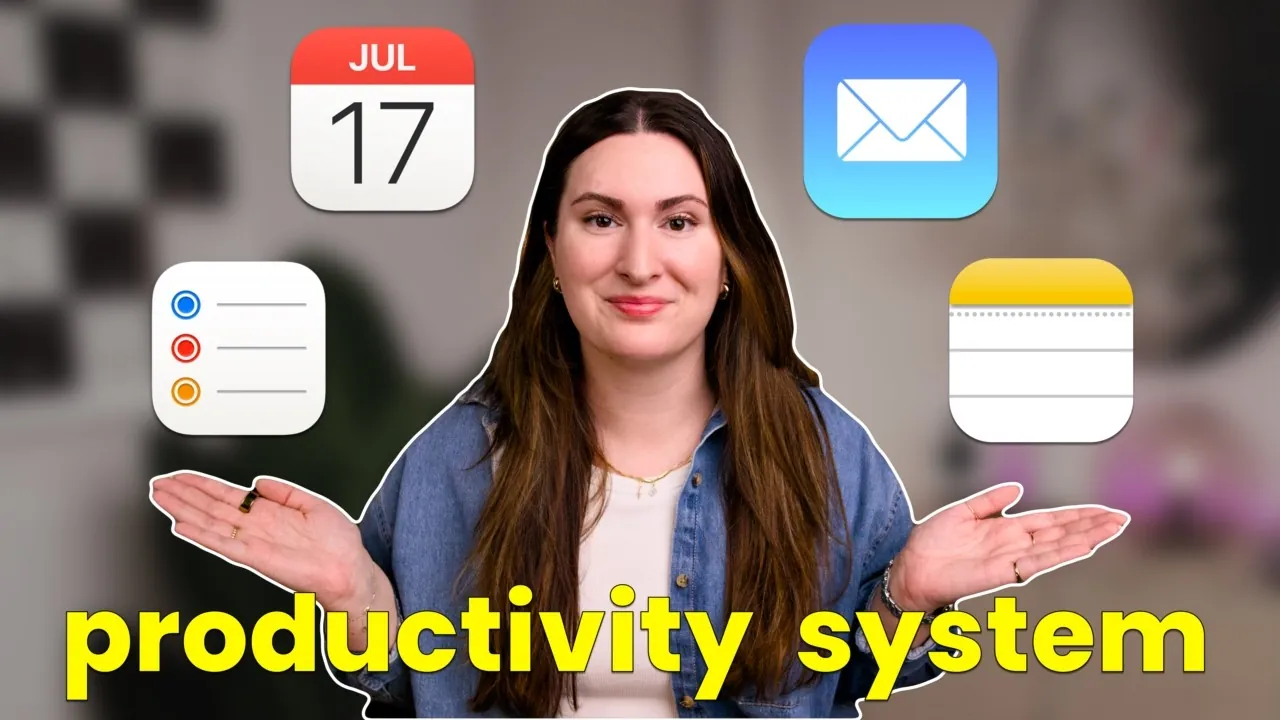
Have you ever felt like your productivity tools are working against you instead of for you? With so many apps and systems available, it’s easy to get overwhelmed by complexity or distracted by shiny features that don’t truly serve your needs. But what if the solution was already in your pocket? Apple’s built-in productivity tools—Calendar, Notes, Reminders, and Mail—offer a seamless, integrated ecosystem designed to simplify your workflow and keep you focused on what matters. Whether you’re planning a project, managing your daily schedule, or juggling personal and professional priorities, these tools are more powerful than they might appear at first glance.
In this guide, Brooke Tierney explains how to transform Apple’s native apps from basic utilities into a streamlined productivity powerhouse. From syncing tasks across devices with iCloud to linking notes directly to calendar events, we’ll explore practical strategies to help you stay organized and efficient. Along the way, you’ll learn how to bridge gaps between apps, uncover hidden features, and tailor the system to fit your unique workflow. By the end, you might just find that the simplest tools are often the most effective—when used to their full potential.
Apple Productivity Tools Overview
TL;DR Key Takeaways :
- Apple’s built-in productivity tools (Calendar, Notes, Reminders, and Mail) are seamlessly integrated through iCloud syncing, offering a unified workflow for managing tasks and events across devices.
- Calendar and Reminders work together to combine tasks and appointments, making sure deadlines and commitments are visible and manageable in one place.
- Notes and Reminders integration allows users to link tasks with detailed information, such as project outlines or meeting agendas, centralizing actionable items and reducing context-switching.
- Apple Mail integrates with Calendar, Notes, and Reminders, allowing users to convert emails into tasks, events, or notes, streamlining communication and task management.
- While Apple’s tools lack some advanced features of third-party apps, their cost-effectiveness, pre-installation, and seamless syncing across the Apple ecosystem make them a powerful and accessible productivity solution for Apple users.
Optimizing Calendar and Reminders
The integration between Calendar and Reminders is a key feature of Apple’s productivity ecosystem, allowing you to manage your schedule and tasks in one place. This synergy ensures that your to-dos and appointments are always visible, helping you stay on top of deadlines and commitments.
Key features include:
- Scheduled reminders that automatically sync with your calendar, eliminating the need to switch between apps.
- Shared reminder lists that can be linked to calendar events, such as a packing list for a trip or a grocery list for a planned dinner.
By combining tasks and events, you can maintain a clear overview of your daily priorities. For example, adding a reminder like “Submit the report” ensures it appears alongside your calendar appointments, keeping important tasks front and center.
Combining Notes and Reminders
The collaboration between Notes and Reminders allows you to centralize your information and tasks, making it easier to track actionable items. This integration is particularly useful for projects or detailed plans where tasks and supporting information need to be linked.
Key functionalities include:
- Assigning deadlines or reminders to specific sections of a note, such as setting a due date for a project milestone outlined in Notes.
- Linking notes to reminders, allowing quick access to detailed information like meeting agendas or research documents.
For instance, if you’ve drafted a project outline in Notes, you can set reminders for key deadlines directly from the app. This ensures that all relevant details are consolidated in one place, reducing the need to search for information and helping you stay focused on your objectives.
2025 Apple Productivity System

Enhance your knowledge on Apple productivity systems by exploring a selection of articles and guides on the subject.
- Apple’s 3 App Productivity System: A Guide to Simplify Your Day
- How to Use Apple’s Free Productivity Tools to Stay Organized in
- Use Apple’s Genius Productivity System to Easily Organize Your Life
- How to Use Apple Notes for Effortless Daily Organization
- How Apple Core Apps Can Boost Productivity and Simplify Life
- Using Apple Notes, Reminders & Calendar for Maximum Productivity
- How to Use Apple Notes, Reminders, and Calendars Together
- Using Use Apple Notes, Reminders and Calendar Together in iOS
- How to Use Apple Reminders for Improved Productivity with GTD
- How to Setup Apple Notes Forever Productivity System for 2025
Bridging Calendar and Notes
The connection between Calendar and Notes enhances your ability to manage time and information effectively. By attaching notes to calendar events, you can ensure that all necessary details are readily available when you need them. This feature is particularly beneficial for meetings, where linking a note with an agenda or discussion points to a calendar event can save time and improve preparation.
Time-blocking enthusiasts can also benefit from this integration. By linking notes to specific time blocks in your calendar, you can minimize context-switching and maintain focus during work sessions. For example, attaching a note with research materials to a scheduled time block for writing ensures that everything you need is at your fingertips.
Integrating Mail with Calendar, Notes, and Reminders
Apple Mail’s integration with Calendar, Notes, and Reminders allows you to manage communication alongside your tasks and events, creating a more cohesive workflow. This connectivity ensures that important emails are not overlooked and can be easily incorporated into your productivity system. Key integration features include:
- Dragging and dropping emails into Calendar to create events or link them to existing ones, making sure that key details are captured.
- Adding emails to Reminders for follow-ups or actionable tasks, such as responding to a query or scheduling a meeting.
- Converting email content into Notes or hyperlinking emails within notes for easy access to relevant information.
For example, if you receive an email with meeting details, you can drag it into your calendar to create an event or add it to Reminders to ensure follow-up. This seamless integration reduces the risk of missing important communications and simplifies task management.
Tips for Maximizing Apple’s Productivity Ecosystem
To fully use Apple’s native productivity tools, consider these best practices:
- Use the share button to move content between apps effortlessly, reducing manual input and saving time.
- Enable iCloud syncing to ensure your data is always up to date across all your Apple devices.
- Take advantage of split view on iPads for drag-and-drop functionality, simplifying multitasking and improving efficiency.
These strategies can help you create a more efficient workflow, allowing you to focus on what matters most while minimizing distractions and inefficiencies.
Strengths and Limitations
Apple’s productivity tools offer a robust and cost-effective solution for managing tasks, events, and information. However, they are not without limitations. Some features, such as linking apps or creating shared links, may require manual effort, and the tools lack certain advanced functionalities found in third-party apps. Despite these drawbacks, the system’s strengths often outweigh its limitations. Key advantages include:
- Pre-installed and free on Apple devices, eliminating the need for additional software.
- Seamless syncing across the Apple ecosystem, making sure a consistent experience on all your devices.
- Regular updates from Apple that enhance functionality and usability over time.
For Apple users, these tools provide a reliable and accessible way to stay organized and productive, making them an excellent choice for those seeking a cohesive productivity system.
By understanding and using the full range of features offered by Calendar, Notes, Reminders, and Mail, you can create a workflow that is both efficient and tailored to your needs. Whether you’re managing a busy schedule, coordinating projects, or simply keeping track of daily tasks, Apple’s productivity ecosystem offers the tools you need to stay on top of your responsibilities.
Media Credit: brooke tierney
Disclosure: Some of our articles include affiliate links. If you buy something through one of these links, Geeky Gadgets may earn an affiliate commission. Learn about our Disclosure Policy.
