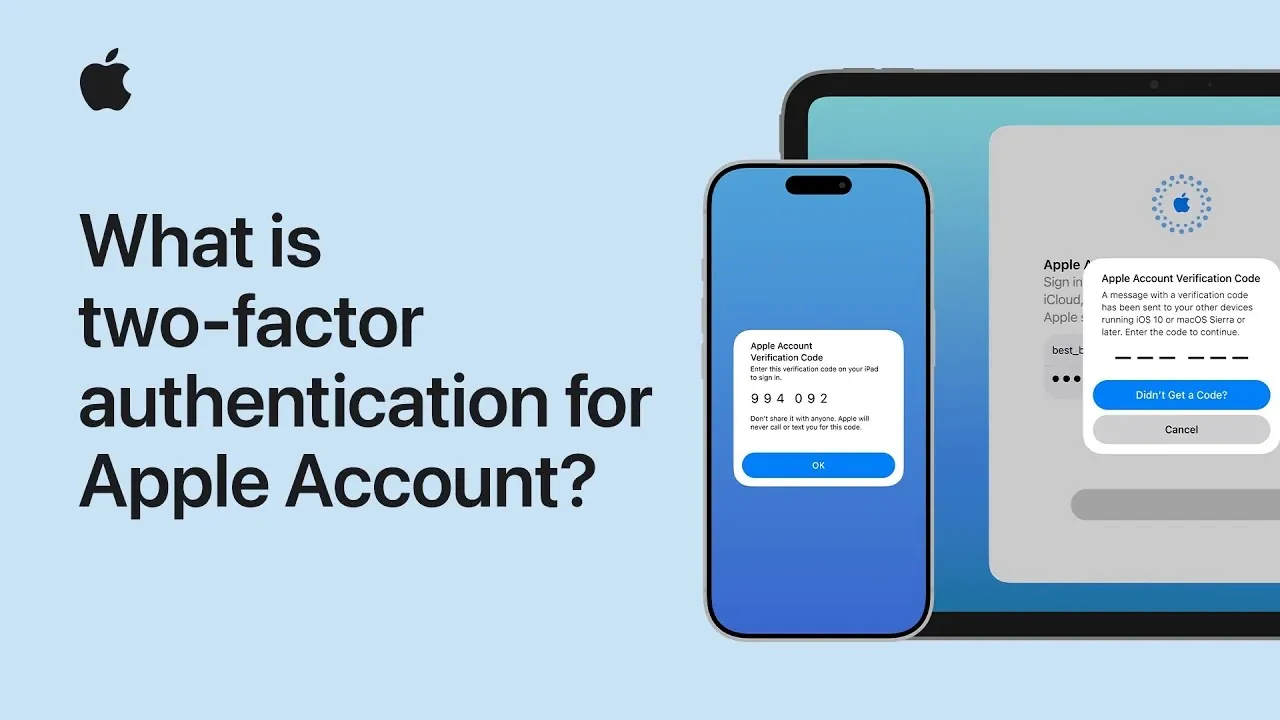
Two-factor authentication (2FA) is a crucial security feature designed to enhance the protection of your Apple account. It requires two forms of identification to verify your identity, making sure that even if someone obtains your password, they cannot access your account without completing an additional verification step. By combining your password with a six-digit verification code, 2FA establishes a multi-layered defense that significantly reduces the risk of unauthorized access.
This system is particularly important in today’s digital landscape, where cyber threats are increasingly sophisticated. By allowing 2FA, you take a proactive approach to safeguarding your personal information and digital identity. The video below from Apple gives us more information.

How Two-Factor Authentication Protects Your Account
When you activate 2FA, accessing your Apple account becomes a two-step process. First, you enter your password. Then, a six-digit verification code is sent to one of your trusted devices or phone numbers. This code acts as an additional security layer, making sure that only you, or someone with access to your trusted devices, can complete the login process.
For example, if you attempt to sign in to your Apple account on a new device, you’ll be prompted to enter the verification code sent to a trusted device, such as your iPhone or iPad. Once you approve the login attempt and input the code, the new device is authenticated. This process ensures that even if your password is compromised, your account remains secure.
Additionally, 2FA provides real-time alerts whenever someone attempts to log in to your account from an unrecognized device. These notifications allow you to take immediate action if you suspect unauthorized access, further strengthening your account’s security.
The Role of Trusted Devices and Phone Numbers
Trusted devices and phone numbers are integral components of the 2FA system, serving as the foundation for its functionality. Here’s how they work:
- Trusted Devices: These are devices you’ve already authenticated using 2FA, such as your iPhone, iPad, or Mac. They can receive verification codes and approve login attempts. Trusted devices also provide a seamless way to manage your account, as they eliminate the need for repeated authentication during regular use.
- Trusted Phone Numbers: These act as a backup in case your trusted devices are unavailable. Verification codes can be sent via text message or phone call to these numbers, making sure you can still access your account even if your primary device is lost or damaged.
It is essential to keep your trusted devices and phone numbers up to date. For instance, if you replace your phone or change your phone number, updating your Apple account settings promptly will prevent potential access issues. Neglecting to do so could result in difficulties regaining access to your account in the future.
Streamlined Security with One-Time Device Setup
Once a device is authenticated using 2FA, it becomes a trusted device. This means you won’t need to repeat the authentication process for future logins on that device. For example, after verifying your iPhone, you can access your Apple account on it without entering a verification code every time. However, if you sign out of your account or reset the device, you’ll need to authenticate it again.
This one-time setup strikes a balance between robust security and user convenience. It ensures that your account remains protected without introducing unnecessary complexity into your daily routine. By reducing repetitive authentication steps, Apple’s 2FA system allows you to focus on using your devices without compromising security.
Key Benefits of Two-Factor Authentication
Two-factor authentication offers several advantages that make it an essential feature for securing your Apple account:
- Enhanced Security: By requiring both a password and a verification code, 2FA significantly reduces the likelihood of unauthorized access, even if your password is compromised.
- Real-Time Alerts: Notifications of login attempts from unrecognized devices allow you to monitor and control access to your account actively.
- Peace of Mind: The multi-layered security approach ensures that only you can access your account, safeguarding your personal information and digital identity.
- User-Friendly Design: The system is straightforward to use, with trusted devices and phone numbers providing flexibility in various situations, such as losing access to a device or traveling.
- Convenience: The one-time device setup minimizes repetitive authentication steps, making it easier to use your account securely across multiple devices.
By allowing 2FA, you not only protect your Apple account but also contribute to a safer digital ecosystem. This added layer of security is a simple yet effective way to mitigate risks and ensure that your personal data remains private and secure.
Explore further guides and articles from our vast library that you may find relevant to your interests in Apple.
- Finally Thinner: Apple Watch Ultra 4 Leaks Reveal a Major Design Shakeup
- iPhone 18 Pro Max Leaks Reveal Bold Dark Cherry Color
- Apple Watch Ultra 4: Every Major Upgrade Revealed for the 2026 Redesign
- Why the iPhone 18 Pro Max Will Be Apple’s Most Aggressive Release Yet
- Forget the Apple Watch: Apple’s New AI Pin is the Ultimate Wearable
- Apple Watch Ultra 4 Leaked: The Design Change We’ve Been Waiting For
Source & Image Credit: Apple Support
Disclosure: Some of our articles include affiliate links. If you buy something through one of these links, Geeky Gadgets may earn an affiliate commission. Learn about our Disclosure Policy.
