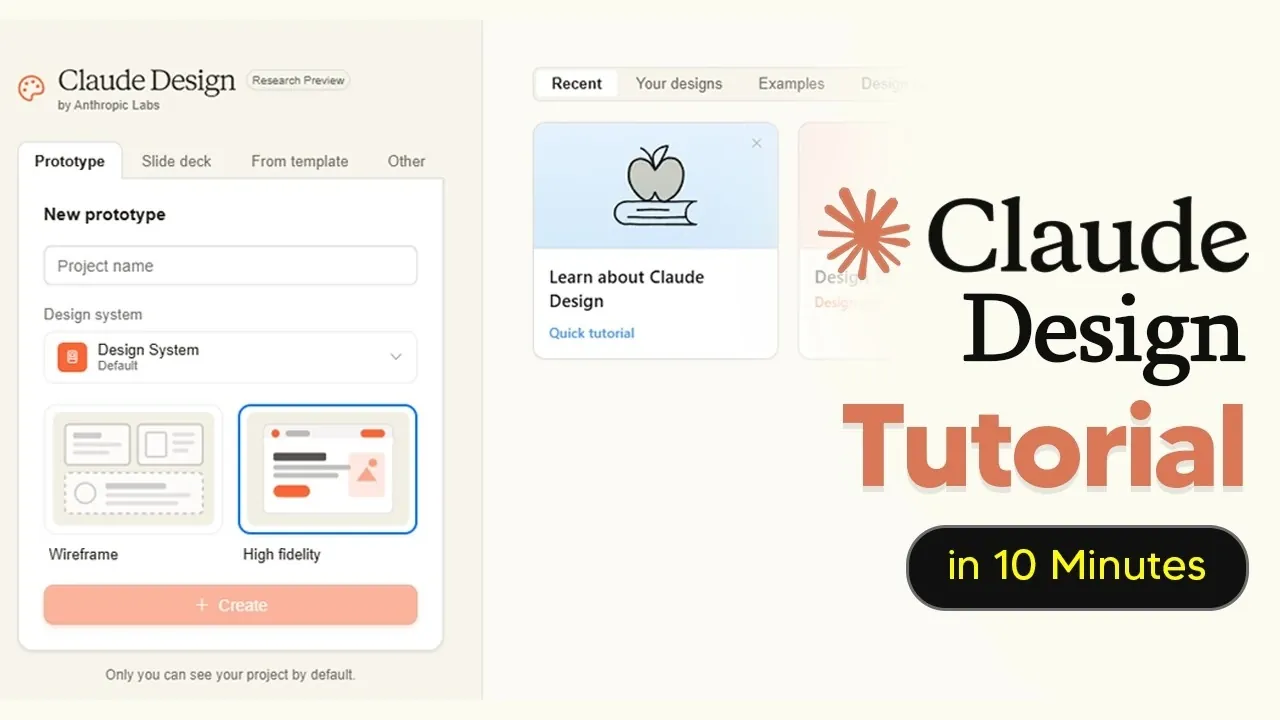
Claude Design, developed by Anthropic, provides a structured approach to crafting interactive prototypes and detailed designs. By using AI to generate code-driven drafts, users can create layouts that include advanced features like 3D graphics and video integration. AI Grid highlights how its compatibility with platforms such as Figma and Canva supports additional customization. At the same time, the subscription model with token limits introduces a need for thoughtful resource management, particularly for complex or large-scale projects.
Gain insight into managing token usage to optimize productivity and avoid interruptions during design workflows. Explore techniques for refining individual design elements, such as adjusting typography or color schemes, without overextending resources. Discover how pre-built templates can accelerate project timelines and ensure consistency across designs by using cohesive systems.
New Claude Design
TL;DR Key Takeaways :
- Claude Design, powered by the Opus 4.7 model, enables users to create interactive prototypes, slide decks and landing pages with dynamic elements like voice, video, 3D and shaders.
- The tool supports seamless integration with platforms like Figma and Canva, offering flexible export options for advanced editing and collaborative workflows.
- Its subscription-based model with token usage limits requires strategic planning to optimize project priorities and avoid interruptions.
- Advanced features include granular editing tools, pre-built templates and basic animation capabilities, enhancing creativity and efficiency for designers.
- Support for brand-specific design systems ensures consistency across projects, making it particularly valuable for agencies and freelancers managing multiple brands.
Claude Design reimagines the design process by using AI to generate code-powered prototypes based on user prompts. Unlike traditional design tools, it supports dynamic elements such as voice, video, 3D and shaders, making it particularly suited for projects requiring engaging and interactive interfaces. While it excels at creating initial drafts, its true strength lies in its seamless integration with other platforms for further customization. This unique combination of features makes it a valuable asset for both novice and experienced designers.
Key Features That Enhance Your Workflow
Claude Design is equipped with a robust set of features that cater to diverse design needs. These include:
- Interactive prototypes: Incorporate voice, video, 3D and shaders to create dynamic and engaging designs.
- Wireframes and high-fidelity designs: Generate basic layouts or detailed previews to suit different stages of the design process.
- Granular editing tools: Adjust colors, fonts and layouts with precision to achieve the desired look and feel.
These features ensure that your designs are not only visually appealing but also functional and ready for real-world applications. The ability to transition between wireframes and high-fidelity designs allows for flexibility, catering to both quick prototyping and detailed project development.
Here are additional guides from our expansive article library that you may find useful on Claude Design.
- Claude Design vs Traditional Wireframing : A 2026 Guide
- Opus 4.7 Leak: Anthropic’s Answer to Google Stitch
- Claude Design: Anthropic’s New AI Platform Powered by Opus 4.7
- How Claude Designer 3.0 Speeds Up UI Prototyping and Workflow
- Will Claude Code & Google Stitch 2.0 Replace Web Designers?
- Claude Code & Stitch 2.0 : The New Era of Web Design
- Understanding Claude AI’s New Weekly Usage Limits for Users
- Claude Code : Building Beautiful Websites, Seamless & Engaging
- Google Stitch 2.0 : The Secret Weapon for Effortless UI Design
- How to Easily Build Custom AI Experts with Claude Skills in 2025
Streamlining Consistency with Design Systems
One of the standout capabilities of Claude Design is its support for brand-specific design systems. By creating tailored style guides, you can ensure consistency across all your projects. The tool’s AI automates much of this process, reducing the time and effort required to maintain uniformity. For agencies or freelancers managing multiple brands, the ability to handle multiple design systems is particularly valuable. This feature not only enhances efficiency but also ensures that your designs align with brand guidelines, fostering professionalism and coherence.
Subscription Model and Usage Management
Claude Design operates on a subscription-based model, offering Pro and Max plans with token-based usage limits. These tokens dictate how extensively you can use the tool, making it essential to monitor your consumption. To make the most of your subscription:
- Plan your projects strategically: Allocate tokens based on project priorities and complexity.
- Use features judiciously: Focus on essential functionalities to avoid unnecessary token usage.
- Track your usage regularly: Stay informed about your remaining tokens to prevent interruptions.
By adopting these practices, you can optimize your subscription and ensure uninterrupted access to Claude Design’s powerful features.
Efficient Editing and Exporting Options
Claude Design’s granular editing options allow you to make precise adjustments to specific design elements, such as colors, fonts, or layouts, without the need to re-render the entire project. This feature not only saves time but also conserves tokens, allowing quick iterations and refinements. Whether you’re making minor tweaks or significant changes, the editing tools ensure a smooth and efficient workflow.
The tool also supports multiple export formats, making it easy to transition your work to other platforms. You can export your designs to:
- Figma: Ideal for advanced editing and collaborative workflows.
- Canva: Perfect for quick, user-friendly adjustments and presentations.
- PDF: Suitable for static presentations or client reviews.
These flexible export options ensure that your designs remain versatile and adaptable to various workflows, enhancing their utility across different stages of the design process.
Advanced Functionalities for Enhanced Creativity
For power users, Claude Design offers advanced features that elevate the design experience. Basic animation capabilities allow you to add interactivity to your projects, making them more engaging and dynamic. While these animations can be resource-intensive, they provide an opportunity to create standout designs that capture attention.
Additionally, the tool includes pre-built design templates tailored to specific formats, such as slide decks, interactive prototypes and PowerPoint presentations. These templates serve as a starting point, reducing the time and effort required to create designs from scratch. By using these advanced functionalities, you can push the boundaries of creativity and deliver exceptional results.
Best Practices for Maximizing Claude Design
To fully harness the potential of Claude Design, consider implementing the following best practices:
- Establish a design system early: This ensures consistency and saves time across all your projects.
- Use granular editing: Focus on tweaking specific elements to conserve tokens and streamline your workflow.
- Monitor token usage: Regularly track your consumption to avoid exceeding your subscription’s allocation.
- Use templates: Use pre-built templates to jumpstart your projects and reduce development time.
By adhering to these practices, you can optimize your workflow, enhance efficiency and create high-quality designs with ease.
Unlocking the Full Potential of Claude Design
Claude Design combines the power of AI with intuitive design features, making it a valuable tool for creating interactive prototypes and high-fidelity designs. Its ability to support dynamic elements, brand-specific design systems and advanced functionalities ensures that it meets the diverse needs of modern designers. While its subscription model and token-based limits require careful management, the tool’s robust capabilities offer significant value. By understanding its features and following best practices, you can unlock the full potential of Claude Design, elevating your design projects and achieving professional results.
Media Credit: TheAIGRID
Disclosure: Some of our articles include affiliate links. If you buy something through one of these links, Geeky Gadgets may earn an affiliate commission. Learn about our Disclosure Policy.
