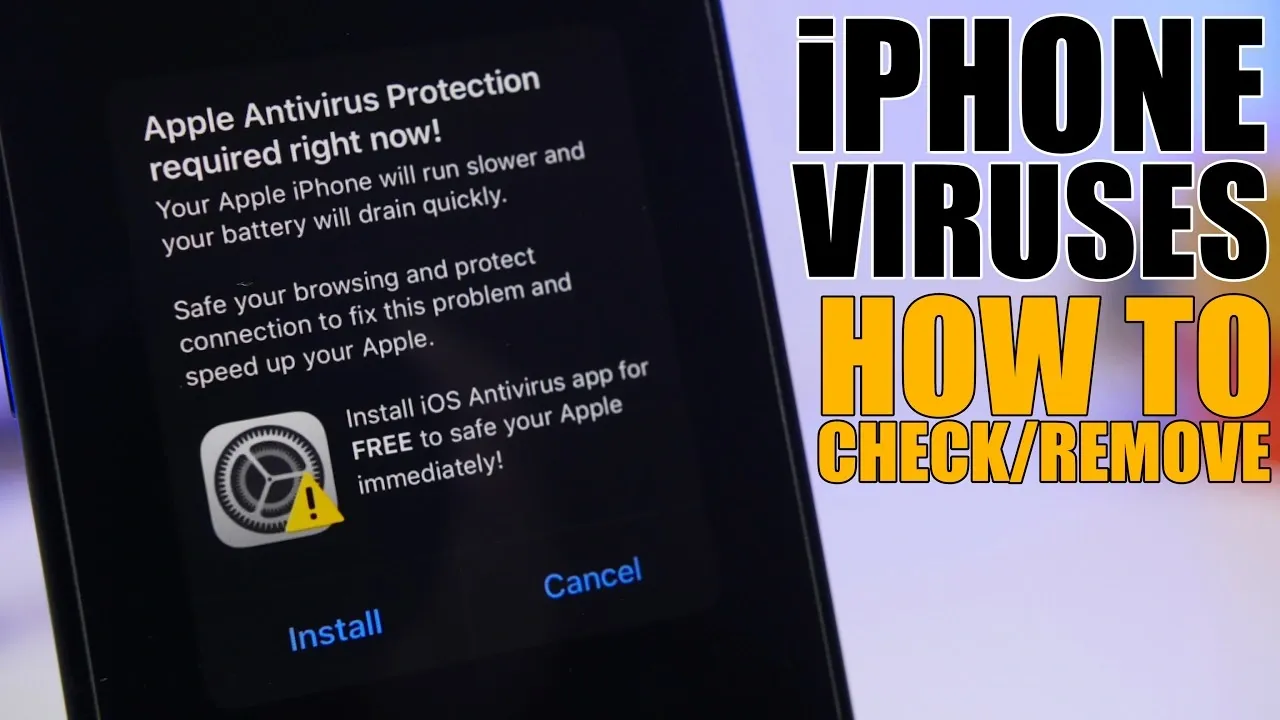
iPhones are widely recognized for their robust security features, but no device is entirely immune to threats. While traditional viruses are rare on iOS devices, other risks such as malware, phishing attacks and security vulnerabilities can still pose significant challenges. Understanding how to identify and address these threats is crucial for safeguarding your personal information and making sure your iPhone operates efficiently. The video below from iReviews gives us more details.

Can iPhones Get Viruses?
The likelihood of your iPhone contracting a traditional virus is extremely low due to Apple’s stringent app review process and the sandboxing of apps within the iOS ecosystem. However, this does not mean iPhones are invulnerable. Other forms of malicious software, such as spyware, adware, or even malicious configuration profiles, can infiltrate your device. This is particularly true if you engage in risky practices like jailbreaking. Jailbreaking removes Apple’s built-in security restrictions, allowing the installation of apps from unofficial sources, which significantly increases your exposure to malware and other threats.
How iPhones Become Vulnerable
To protect your iPhone, it’s essential to understand how vulnerabilities arise. The following are the most common ways your device can become compromised:
- Jailbreaking: By bypassing Apple’s security measures, jailbreaking exposes your device to unverified apps, many of which may contain malware or spyware.
- Malicious Configuration Profiles: These profiles, often delivered through phishing emails or suspicious links, can alter your device’s settings and compromise its security.
- Phishing Attacks: Cybercriminals use deceptive emails, messages, or websites to trick you into sharing sensitive information or clicking on harmful links.
- Unsecured Public Wi-Fi: Connecting to public networks without adequate protection can expose your device to hackers who intercept your data through man-in-the-middle attacks.
Recognizing these risks is the first step toward maintaining your iPhone’s security.
How to Spot Potential Threats
Detecting malware or other security issues on your iPhone requires vigilance. Be on the lookout for these warning signs, which may indicate a compromised device:
- Your iPhone overheats even when not in heavy use.
- Unfamiliar apps appear on your home screen without your knowledge.
- The battery drains unusually fast or behaves erratically.
- Apps crash frequently, or your device becomes noticeably sluggish.
- Unexplained spikes in data usage occur without any clear reason.
- Persistent pop-ups or browser redirects lead to suspicious websites.
If you notice any of these symptoms, it’s important to act quickly to prevent further damage to your device or personal data.
Steps to Remove Threats and Protect Your iPhone
If you suspect that your iPhone has been compromised, follow these steps to address the issue and secure your device:
- Delete Suspicious Apps: Identify and remove any apps you don’t recognize or remember installing. This can often eliminate the source of the problem.
- Restart Your iPhone: A simple reboot can stop malicious processes running in the background and restore normal functionality.
- Remove Unknown Profiles: Go to Settings > General > VPN and Device Management and delete any configuration profiles that seem unfamiliar or suspicious.
- Clear Browser Data: Navigate to your browser settings and clear the cache and website data to eliminate stored threats or malicious redirects.
- Change Passwords: Update the passwords for your critical accounts, such as email, social media and banking apps, especially if you suspect a breach.
- Update iOS: Ensure your device is running the latest version of iOS to benefit from Apple’s most recent security patches and improvements.
Taking these steps promptly can help restore your iPhone’s security and prevent further issues.
Best Practices for Long-Term iPhone Security
To maintain your iPhone’s security and reduce the risk of future threats, adopt these preventive measures:
- Avoid Jailbreaking: Refrain from jailbreaking your device to preserve Apple’s built-in security protections and minimize exposure to unverified apps.
- Be Cautious with Links and Emails: Avoid clicking on suspicious links or opening emails from unknown sources, as these are common methods for delivering malware or phishing attacks.
- Use a Trusted VPN: When connecting to public Wi-Fi networks, use a reliable virtual private network (VPN) to encrypt your data and protect against hackers.
- Enable Two-Factor Authentication (2FA): Activate 2FA for your accounts to add an extra layer of security, making it harder for unauthorized users to gain access.
- Use a Password Manager: Use a password manager to create and store strong, unique passwords for all your accounts, reducing the risk of credential theft.
By implementing these best practices, you can significantly enhance your iPhone’s security. Staying vigilant and proactive will help ensure your device remains a reliable and secure tool for your daily activities.
Source & Image Credit: iReviews
Disclosure: Some of our articles include affiliate links. If you buy something through one of these links, Geeky Gadgets may earn an affiliate commission. Learn about our Disclosure Policy.
