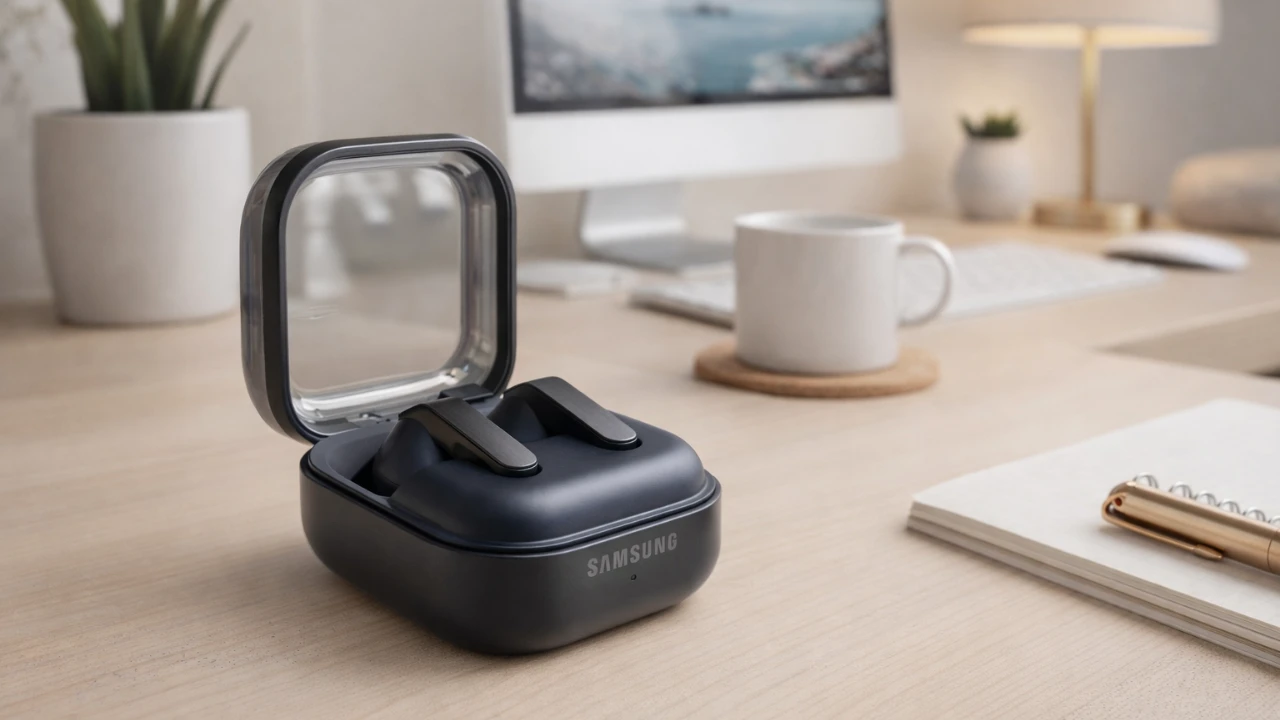
The Galaxy Buds 4 are a feature-rich pair of earbuds designed to elevate your audio experience while simplifying everyday tasks. With advanced sound customization, intuitive controls, and seamless connectivity, these earbuds offer a comprehensive solution for both casual listeners and tech enthusiasts. The video below from GregglesTV explores the most practical features of the Galaxy Buds 4 and how you can use them to enhance your daily life.

Master Gesture Controls for Effortless Use
Gesture controls are a cornerstone of the Galaxy Buds 4, allowing you to manage audio, calls and sound modes without needing to reach for your phone. These intuitive gestures are designed to streamline multitasking and keep you focused.
- Volume Control: Adjust the volume by swiping up or down on the earbuds, offering a quick and hassle-free way to fine-tune your audio.
- Playback and Calls: Pinch gestures allow you to play, pause, skip tracks, or answer and end calls effortlessly.
- Sound Modes: Switch between Active Noise Cancellation (ANC) and Transparency Mode by pressing and holding the earbuds, adapting to your surroundings instantly.
Customize Sound Modes to Match Your Environment
The Galaxy Buds 4 provide versatile sound modes to ensure your listening experience is optimized for any situation. Whether you’re commuting, working, or relaxing, these modes let you control how much of the outside world you hear.
- Active Noise Cancellation (ANC): Immerse yourself in your audio by blocking out external noise, ideal for noisy environments or focused tasks.
- Transparency Mode: Stay aware of your surroundings without removing the earbuds, making it perfect for public spaces or conversations.
- Adaptive Sound Mode: Automatically transition between ANC and Transparency Mode based on your activity and environment, making sure seamless audio adjustments.
Personalize Your Buds for a Tailored Experience
The Galaxy Buds 4 offer extensive customization options, allowing you to tailor their functionality to your preferences. This ensures a listening experience that feels uniquely yours.
- Gesture Customization: Assign specific actions to gestures, such as activating your voice assistant, skipping tracks, or launching apps.
- Equalizer Settings: Choose from presets like Dynamic, Balanced, or Bass Boost to optimize sound quality for different genres and activities.
- Audio Normalization: Enable loudness normalization to maintain consistent volume levels across various media types.
Use Voice and Head Gestures for Hands-Free Control
Voice and head gestures add an extra layer of convenience, making it easier to stay productive and connected without relying on your hands.
- Voice Commands: Use Google Assistant or Bixby to control playback, check notifications, or set reminders, all through simple voice prompts.
- Head Gestures: Manage calls effortlessly by nodding to answer or shaking your head to decline, streamlining your interactions.
Explore Advanced Features for Enhanced Audio
For those who demand more from their audio devices, the Galaxy Buds 4 include advanced features that cater to audiophiles and gamers alike.
- 360 Audio: Immerse yourself in spatial sound for a theater-like experience, bringing your media to life.
- Ultra High-Quality Audio: Enjoy crystal-clear sound that enhances the depth and detail of your music and media.
- Super Wideband Speech: Experience clearer voice transmission during calls, making sure your conversations are crisp and natural.
- Gaming Mode: Reduce audio latency for smoother, more responsive gaming sessions, giving you a competitive edge.
Stay Connected with Seamless Device Management
The Galaxy Buds 4 are designed to simplify connectivity, making it easier to manage your devices and stay connected throughout the day.
- Auto-Switching: Effortlessly switch between Samsung devices, such as your phone, tablet, or smartwatch, without manual intervention.
- Single Earbud Use: Use one earbud at a time while the other charges, making sure to have uninterrupted listening or calls.
- Find My Earbuds: Locate misplaced earbuds quickly using the companion app, saving time and frustration.
Stay Informed with Notifications and Accessibility Features
The Galaxy Buds 4 are equipped with tools to keep you informed and enhance accessibility, making sure you stay connected without unnecessary distractions.
- Read-Aloud Notifications: Enable notifications to be read aloud, allowing you to stay updated without checking your phone.
- Customizable Alerts: Adjust notification settings by app or priority, focusing only on what matters most to you.
- Audio Balance: Fine-tune the balance between the left and right earbuds for a personalized and comfortable listening experience.
Maintain and Update Your Buds for Peak Performance
Regular maintenance and updates are essential to ensure your Galaxy Buds 4 continue to perform at their best.
- Software Updates: Keep your earbuds up to date with the latest features and performance improvements by installing updates through the companion app.
- User Manuals: Access detailed guides and troubleshooting tips directly from the settings menu to resolve issues quickly.
Discover Additional Features for Everyday Convenience
The Galaxy Buds 4 go beyond audio, offering features that enhance your overall well-being and convenience.
- Neck Stretch Reminders: Receive prompts to stretch during extended use, promoting better posture and ergonomic health.
- In-Ear Detection: Automatically route calls and audio to your earbuds when they’re in use, making sure seamless transitions between devices.
Source: GregglesTV
Disclosure: Some of our articles include affiliate links. If you buy something through one of these links, Geeky Gadgets may earn an affiliate commission. Learn about our Disclosure Policy.
