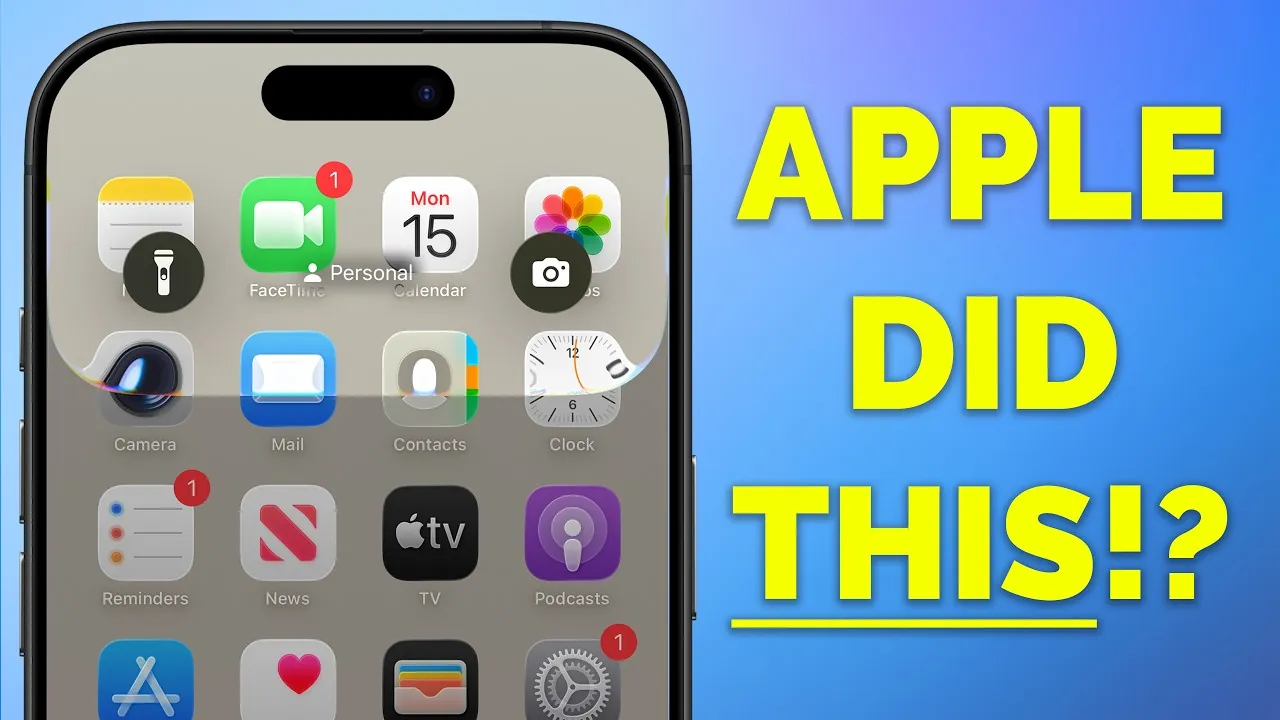
Apple’s iOS 26 represents a significant evolution in mobile operating systems, blending a visually striking design with practical enhancements to improve usability and personalization. With features like the innovative “Liquid Glass” aesthetic, smarter tools, and deeper customization options, this update aims to make your iPhone or iPad more intuitive, efficient, and tailored to your needs. Below is an in-depth look at the key features that make iOS 26 a standout release in a new video from Proper Honest Tech

Liquid Glass Design: A New Visual Standard
The “Liquid Glass” design is one of the most defining aspects of iOS 26, offering a transparent, layered interface that adds depth and fluidity to your device’s screen. This modern aesthetic not only enhances the visual appeal but also improves functionality. Key updates include:
- Relocated search bars in Apple apps to the bottom of the screen for easier thumb access.
- Ellipsis menus that provide expanded options, simplifying navigation across apps.
For users who prefer practicality over visual effects, accessibility settings allow you to reduce transparency, making sure the interface remains user-friendly for everyone.
Home Screen Customization: Personalization Made Simple
iOS 26 introduces a more streamlined approach to home screen customization, making it easier than ever to adapt your device to your preferences. A unified “Edit” button consolidates adjustments for widgets, wallpapers, and app layouts. Notable improvements include:
- Options to switch between small and large app icons for better visibility or compactness.
- Frosted glass-style backgrounds that create a sleek, modern appearance.
- An enhanced dark mode with both automatic and always-on settings for optimal viewing.
These updates ensure your device reflects your personal style while maintaining functionality and ease of use.
Advanced Screenshot Tools for Productivity
Capturing and editing screenshots has been significantly improved in iOS 26, offering a full-screen editing interface with a range of tools for cropping, markup, sharing, and saving. Advanced features include:
- Automatic visual lookup to identify objects within screenshots.
- CarPlay screenshot support, allowing you to capture in-car displays effortlessly.
- HDR format options for higher-quality images.
- Integrated reverse image search and translation tools for added convenience.
These enhancements transform screenshots into a versatile tool for both productivity and creativity.
Photos App: Enhanced Creativity and Organization
The Photos app in iOS 26 has been upgraded to balance creative expression with improved organization. Key features include:
- Spatial photos that add a 3D depth effect to images, which can also be used as dynamic wallpapers.
- Improved search functionality, making it faster to locate specific photos or albums.
- Collapsible collections to declutter and streamline your photo library.
These updates ensure your memories are not only beautifully preserved but also easily accessible and engaging.
Camera App: Simplified and Intuitive
The Camera app has been redesigned with user-friendliness in mind. Photo and video modes now act as anchor points, while intuitive swipe gestures allow for quick mode switching. Although the new layout may require a brief adjustment period, it ensures that all essential functions are easily accessible, making photography more straightforward for users of all skill levels.
Smarter Battery Management for Longevity
Battery optimization in iOS 26 provides greater control and insight into your device’s power usage. Key updates include:
- A new charging section that displays time estimates for reaching 80% and 100% battery levels.
- Adaptive power mode, which dynamically adjusts settings to extend battery life during heavy usage.
- Customizable charge limits between 80% and 100%, helping to preserve long-term battery health.
These features empower you to maximize your device’s performance while maintaining its longevity.
Clock App: Flexible Snooze Options
For users who rely on alarms, iOS 26 introduces customizable snooze durations. You can now set snooze intervals ranging from 1 to 15 minutes, offering greater flexibility to align with your daily routine and preferences.
Phone App: Enhanced Call Management
The Phone app has been updated to simplify call handling and improve communication efficiency. Key enhancements include:
- A unified view that combines recent calls, voicemails, and contacts for streamlined navigation.
- The “Ask reason for calling” feature, which helps identify unknown callers before answering.
- Call filtering and hold music detection, making sure a smoother and more organized calling experience.
These updates make managing calls more intuitive and less disruptive.
AI-Driven Reminders for Better Organization
The Reminders app now uses on-device AI to enhance task management. Notable improvements include:
- Automatic categorization of lists, saving you time and effort in organizing tasks.
- Quick reminder creation via the Control Center or action button for on-the-go productivity.
These features ensure you can stay organized and focused, no matter how busy your schedule becomes.
Additional Features Worth Exploring
Beyond the major updates, iOS 26 introduces several smaller yet impactful features that enhance the overall user experience:
- The Notes app now includes a toolbar for easier formatting and media access.
- Playlist folders in the Music app improve organization for music enthusiasts.
- Group chat polls in Messages foster collaboration and engagement within conversations.
- The new Preview app allows for quick file viewing and light editing, adding convenience to file management.
These additions contribute to a more seamless and enjoyable experience across the system.
A Comprehensive Update for All Users
iOS 26 delivers a balanced combination of aesthetic improvements, practical tools, and innovative features that cater to a wide range of user needs. Whether you’re drawn to the visually stunning “Liquid Glass” design, the enhanced customization options, or the smarter tools for productivity, this update ensures your device feels more personal, capable, and future-ready. With its focus on both form and function, iOS 26 sets a new standard for mobile operating systems, making it a must-have for Apple users.
Uncover more insights about iOS 26 Features in previous articles we have written.
- iOS 26 Features and Updates: Everything You Need to Know
- iOS 26 Beta 6 Features: What’s New and Improved
- iOS 26 Release: Key Features and Updates for Apple Users
- iOS 26: Liquid Glass & The TOP Features You Need to See!
- iOS 26 Beta: Features, Performance and More
Source & Image Credit: Proper Honest Tech
Disclosure: Some of our articles include affiliate links. If you buy something through one of these links, Geeky Gadgets may earn an affiliate commission. Learn about our Disclosure Policy.
