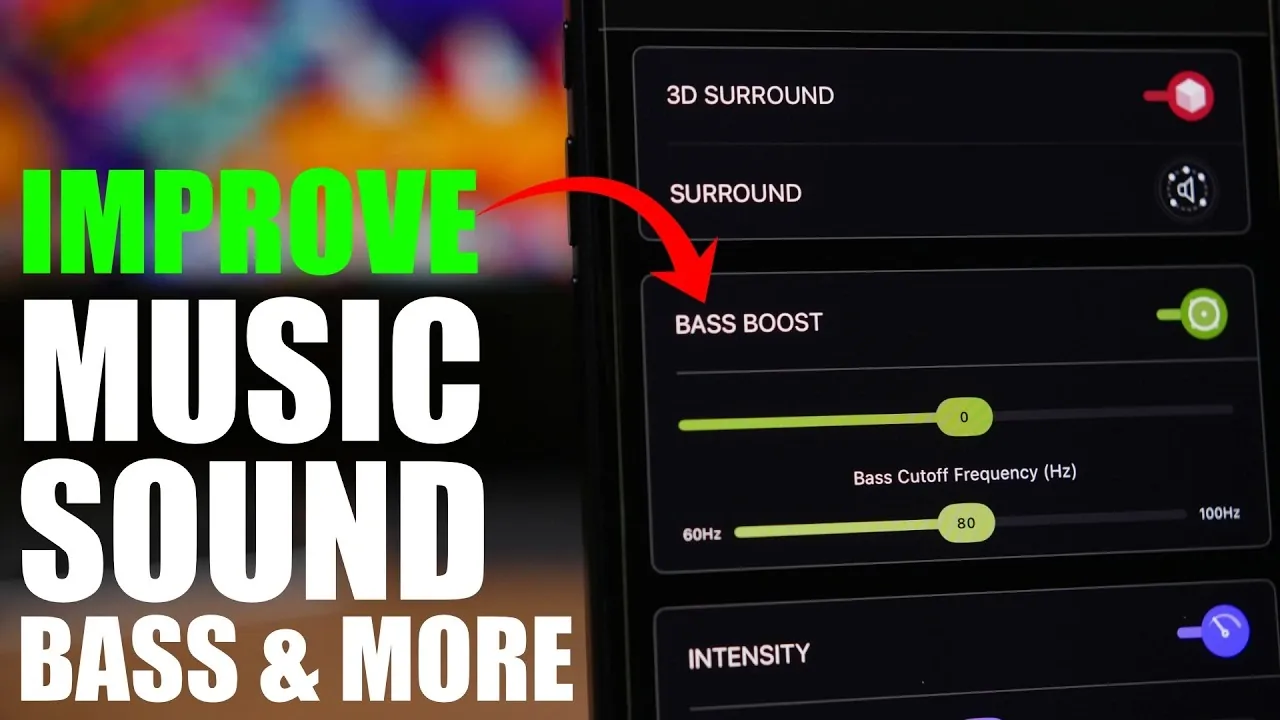
If you’re seeking to elevate your music experience on your iPhone, the Boom app provides a comprehensive suite of tools to customize and enhance audio quality. From boosting bass to fine-tuning equalizers, this app transforms how you listen to music, whether through headphones, external speakers, or Bluetooth devices. With its advanced features and seamless integration, Boom enables you to take full control of your audio experience. The video below from iReviews gives us more details.

Advanced Audio Customization
Boom offers a robust array of audio customization features, allowing you to tailor every note and beat to your preferences. Its key features include:
- Equalizer Adjustments: Select from a wide range of presets or create custom equalizer settings to suit your favorite music genres, making sure every track resonates perfectly.
- Bass Boost: Amplify low frequencies with precision, adding depth and richness to your music for a more immersive experience.
- 3D Surround Sound: Enjoy immersive spatial audio that creates the sensation of sound coming from all directions, enhancing the realism of your listening experience.
- Reverb Control: Simulate various acoustic environments, from intimate rooms to expansive concert halls, to match your mood or the style of music.
- Pitch and Playback Speed: Experiment with pitch adjustments for creative effects or modify playback speed to suit your preferences, whether for music or podcasts.
These tools ensure that your music sounds exactly the way you want it, whether you’re a casual listener or an audiophile. The app’s intuitive design makes it easy to experiment with these features, allowing you to discover new ways to enjoy your favorite tracks.
Seamless Music Library Integration
Boom integrates effortlessly with your existing music library, making sure that your favorite tracks are always accessible. Supported sources include:
- iTunes: Sync your iTunes library directly with Boom for instant access to your purchased music.
- iCloud: Stream or download tracks stored in your iCloud account without interruptions.
- Dropbox and Google Drive: Access music files stored in your cloud accounts, offering flexibility for users with diverse storage preferences.
- Tidal: Connect your Tidal account to enjoy high-fidelity streaming directly through the app.
Boom organizes your music efficiently, allowing you to browse by artist, album, playlist, or genre. This streamlined approach ensures that your entire collection is always within reach, no matter where your music is stored.
Optimized for Headphones
For headphone users, Boom offers custom equalizer settings specifically designed for various headphone models, including AirPods. This feature ensures that your headphones deliver optimal sound quality, enhancing clarity and detail for both music and podcasts. Whether you’re commuting, working out, or relaxing at home, Boom adapts to your headphones to provide a superior listening experience.
Additionally, the app’s 3D surround sound and bass boost features are particularly effective when used with headphones, creating a more immersive and engaging audio environment. This makes Boom an excellent choice for users who prioritize high-quality sound on the go.
Additional Features for Versatility
Boom goes beyond music playback, offering a range of additional features that cater to diverse audio needs. These include:
- Podcast Streaming: Listen to your favorite podcasts with enhanced sound quality, making dialogue clearer and more engaging.
- Regional Radio Playback: Explore radio stations from around the world, giving you access to a variety of music, news and entertainment options.
- User-Friendly Interface: Navigate the app’s clean and intuitive design with ease, regardless of your technical expertise. The interface is designed to make advanced audio customization accessible to all users.
These features make Boom a versatile tool for all your audio needs, whether you’re streaming music, tuning into a podcast, or exploring global radio stations. Its ability to enhance sound quality across different formats and platforms ensures a consistent and enjoyable listening experience.
Compatible Across Devices
Boom is designed to work seamlessly with a variety of devices, making sure high-quality sound no matter your setup. It’s compatible with:
- iPhone Speakers: Enhance the sound quality of your iPhone’s built-in speakers for a richer audio experience.
- External Speakers: Connect to external speakers and enjoy Boom’s advanced audio features on a larger scale.
- Bluetooth-Enabled Systems: Pair with Bluetooth devices for wireless convenience without compromising on sound quality.
Whether you’re at home, in the car, or on the go, Boom adapts to your environment, delivering consistent and reliable performance. Its compatibility across multiple devices ensures that you can enjoy enhanced audio quality wherever you are.
Transform Your Listening Experience
The Boom app offers a comprehensive solution for enhancing your iPhone’s audio capabilities. With its advanced customization options, seamless music library integration, and compatibility across multiple devices, it enables you to personalize your listening experience like never before. Whether you’re boosting bass, fine-tuning equalizers, or immersing yourself in 3D surround sound, Boom ensures every track sounds just the way you want it.
Take a look at other insightful guides from our broad collection that might capture your interest in the iPhone.
- iPhone 18 Pro Max Leaks Reveal Bold Dark Cherry Color
- Why the iPhone 18 Pro Max Will Be Apple’s Most Aggressive Release Yet
- iPhone 18 Pro Max Discovery: Apple’s New Variable Aperture Lens is a Game Changer
- iPhone Ultra Fold First Look: Apple Finally Went WIDE to Create the Ultimate Hybrid Device
- Why Apple’s iPhone Ultra Fold Changes Everything We Know About Smartphones
- iPhone 18 Pro Leaks Reveal Apple’s Move to an Ultra-Efficient 2Nm Chip
Source & Image Credit: iReviews
Disclosure: Some of our articles include affiliate links. If you buy something through one of these links, Geeky Gadgets may earn an affiliate commission. Learn about our Disclosure Policy.
