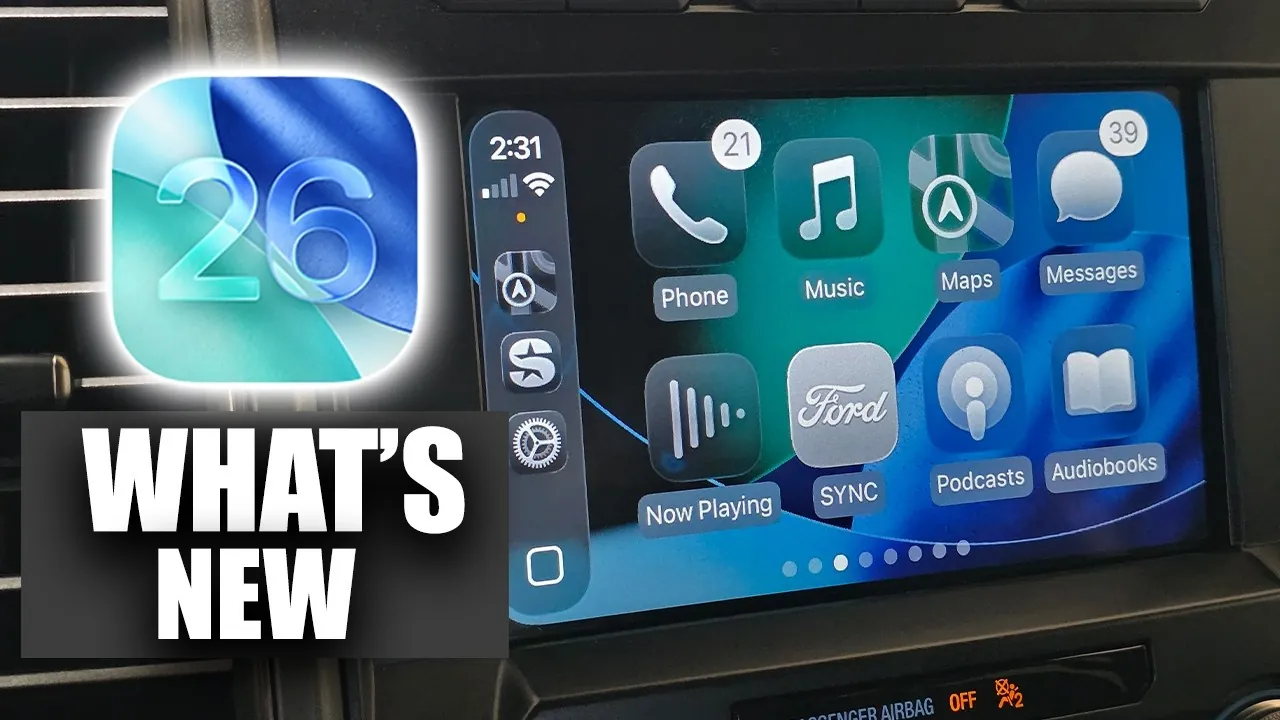
Apple’s iOS 26 update brings a host of improvements to Apple CarPlay, focusing on enhancing functionality, customization, and user experience. Whether you rely on Apple CarPlay for navigation, entertainment, or monitoring vehicle data, these updates are designed to make your driving experience safer, more intuitive, and better suited to your individual needs. By integrating advanced tools and features, iOS 26 ensures that CarPlay remains a reliable companion on the road. The video below from HotshotTek gives us more details on what is new in Apple Apple CarPlay in iOS 26.

Expanded App Integration: More Tools at Your Fingertips
Apple CarPlay now supports a broader range of third-party apps, offering you access to more tools while keeping your attention on the road. This includes apps for navigation, music streaming, and even productivity. For example, third-party navigation apps now deliver real-time updates directly within the CarPlay interface, allowing you to seamlessly switch to your preferred platform. This expanded integration ensures you stay connected and informed without compromising safety. Additionally, the inclusion of productivity apps means you can manage tasks or access calendars hands-free, making your commute more efficient.
Customization Options: Tailor Your Dashboard
Personalization takes center stage in iOS 26, allowing you to customize your Apple CarPlay dashboard to better suit your driving habits. You can now rearrange widgets, select app shortcuts, and adjust the layout to prioritize the information most relevant to you. For instance, if navigation and music are your primary focus, you can position these features prominently for quick access. This flexibility reduces distractions by making sure that essential tools are always within reach. Whether you prefer a minimalist setup or a feature-rich interface, the new customization options empower you to create a dashboard that aligns with your preferences.
Enhanced Navigation: Smarter and More Efficient
Navigation has been significantly upgraded in iOS 26, offering real-time traffic updates, accurate route suggestions, and even fuel efficiency considerations. These enhancements help you avoid delays and choose the fastest or most economical route to your destination. For electric vehicle owners, the system now identifies charging stations along your route, factoring in battery levels and charging times. These updates are seamlessly integrated into the CarPlay interface, making sure you receive timely alerts and guidance without needing to glance at your phone. The result is a smoother, more efficient driving experience that prioritizes both convenience and safety.
Advanced Voice Assistant: Hands-Free Precision
The voice assistant in CarPlay has become smarter and more context-aware, allowing you to perform a wide range of tasks using hands-free commands. You can now control navigation, adjust settings, or send messages without taking your eyes off the road. For example, asking the assistant to “find the nearest gas station” will not only provide directions but also display fuel prices and operating hours. This enhanced functionality ensures you receive the information you need quickly and safely. Additionally, the assistant can now handle more complex queries, such as finding a specific playlist or setting reminders, making it an indispensable tool for modern drivers.
New Entertainment Features: More Ways to Enjoy the Drive
Entertainment options have been expanded to make your drives more enjoyable. Updated media controls allow for seamless switching between playlists, podcasts, and audiobooks. Compatibility with additional streaming apps ensures access to a wider variety of content, catering to diverse preferences. Personalized recommendations based on your listening habits make discovering new music or shows effortless, eliminating the need for manual browsing. Whether you’re on a long road trip or a short commute, these features ensure that your time behind the wheel is both productive and entertaining.
Vehicle Data Integration: Real-Time Insights
Apple CarPlay now offers deeper integration with your vehicle’s data, providing real-time updates on fuel levels, tire pressure, and climate control settings. For example, you can monitor your fuel level directly from the dashboard and receive alerts when it’s time to refuel. Climate control integration allows you to adjust the temperature or fan speed through the CarPlay interface, reducing the need to interact with physical controls. These features not only enhance convenience but also help you stay focused on the road by minimizing distractions.
Streamlined Interface: Simpler and More Accessible
The redesigned Apple CarPlay interface prioritizes usability and accessibility, making it easier for all drivers to navigate. Key features are now more intuitive to locate, even for first-time users. Accessibility improvements, such as larger text options and voice-guided menus, ensure that CarPlay is inclusive for drivers with varying needs. These updates contribute to a smoother, distraction-free experience, allowing you to focus on driving while still benefiting from the platform’s advanced capabilities.
A Safer, Smarter Driving Experience
The iOS 26 update for CarPlay introduces a comprehensive range of features designed to enhance your time behind the wheel. From expanded app integration and smarter navigation tools to improved customization and real-time vehicle data insights, these updates ensure that CarPlay remains a versatile and reliable platform. Whether you’re navigating busy city streets or embarking on a long road trip, iOS 26 equips you with the tools to stay connected, informed, and entertained—all while keeping safety at the forefront.
Discover other guides from our vast content that could be of interest on iOS 26 CarPlay features.
- New Apple CarPlay Features in iOS 18.1 Beta 2
- Apple CarPlay Gets a Major Upgrade in iOS 18: 10 Must-See Features
- Buckle Up: iOS 18 Apple CarPlay is Here
- Apple CarPlay Gets a Major Upgrade in iOS 18: Here’s What’s New
- iOS 26 Details Leak Ahead of WWDC 2025
Source & Image Credit: HotshotTek
Disclosure: Some of our articles include affiliate links. If you buy something through one of these links, Geeky Gadgets may earn an affiliate commission. Learn about our Disclosure Policy.
